Weighted (custom) normals
Custom vertex normals that let big faces win over small bevels, so bevelled low and mid-poly meshes shade flat and clean without a baked normal map.
Weighted normals (also face-weighted normals, FWN, or custom normals) are vertex normals calculated so that large faces count more than small ones. On a bevelled mesh, the big flat faces keep their own direction and the thin bevels do all the bending, so flat faces shade flat. Blender's modifier "changes the custom normals of a mesh" and is often used to make some faces look flat during shading (Blender Manual: Weighted Normal Modifier).
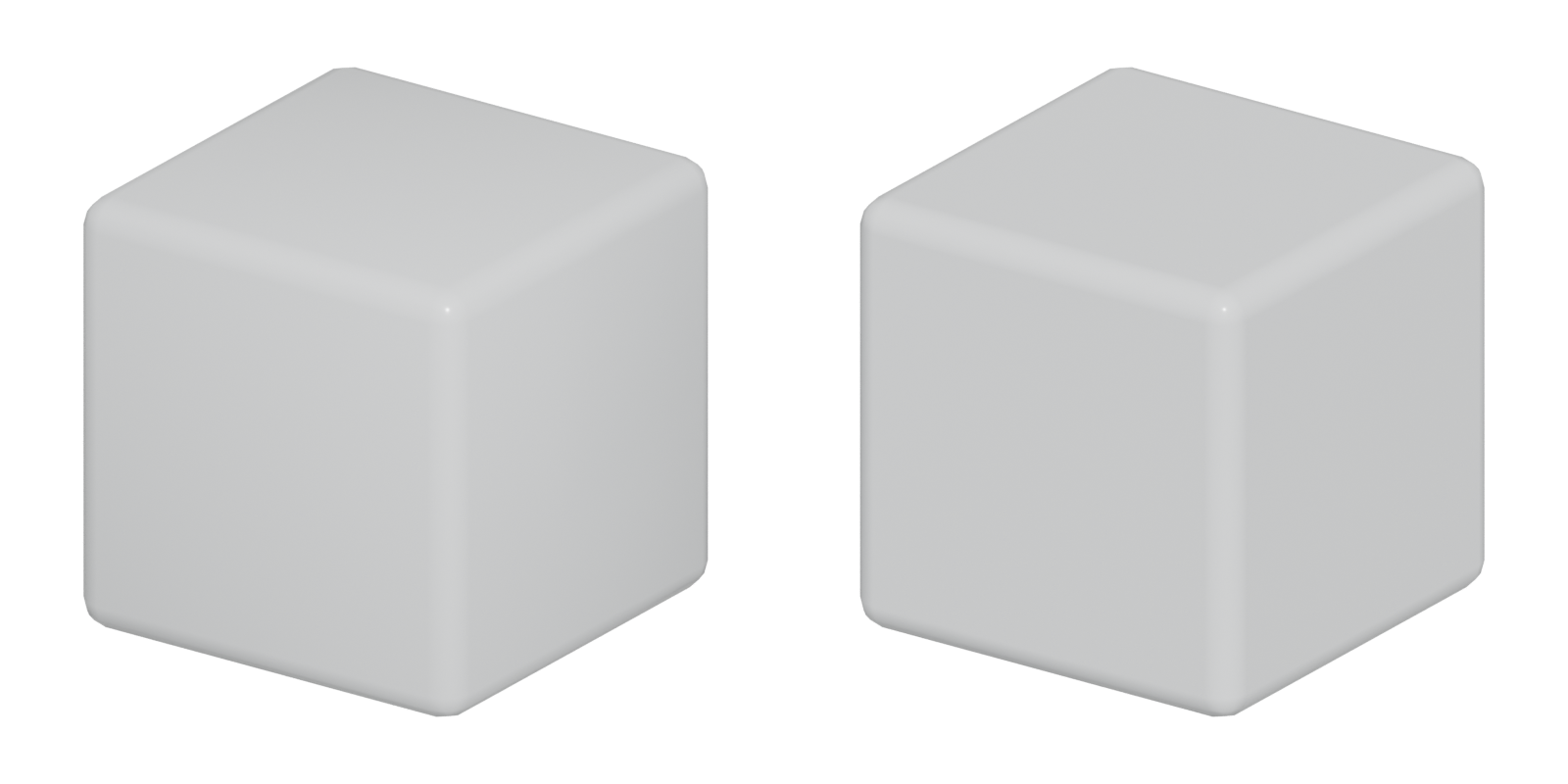
#Shading problems on bevelled meshes
By default, a smooth-shaded vertex gets a normal blended from all faces around it (see normals). Put a small bevel between two big faces and each bevel vertex gets a normal halfway between the big face and the bevel. The renderer interpolates that tilted normal across the big face, which looks like a dark smudge or a dent near every edge.
The old fixes were support loops (more geometry) or hard edges plus a normal map bake. Weighted normals fix the shading by changing only the stored normals: same vertices, same triangles.

#How weighting works
The technique is not new. A 2011 Polycount thread noted that id Software had used the technique since Doom 3, and one member summarised it as: "Literally multiply vertex normal contribution by surface area of the face it belongs to" (Polycount forum: Discuss face weighted normals).
Blender's Weighted Normal modifier offers three modes (Blender Manual: Weighted Normal Modifier):
- Face Area: "A larger area means that the normal from that face will get a higher weight in final result." This is the mode for hard-surface work.
- Corner Angle: weights by the angle each face makes at the vertex; "This is the method Blender uses by default".
- Face Area and Angle: both multiplied together.
Other useful settings (Blender Manual: Weighted Normal Modifier):
- Weight: a contrast control. At 50 all faces count equally; higher values exaggerate the difference.
- Keep Sharp: preserves sharp edges.
- Face Influence: uses face strengths (weak, medium, strong) set by the Set Strength tool or the Bevel modifier, and lets only the strongest face decide. Patscheider recommends it for hard-surface modifier stacks (ArtStation blog: Quarry Bank Mill 3D #07 Modifiers and Wires /…).
#When you still need a normal map
Weighted normals fix shading of the shape you modeled. They do not add detail. You still need a normal map or other texture for:
- detail that is not in the mesh, such as panel lines, screws and dents (often from trim sheets or mesh decals);
- curved surfaces too low in density to shade smoothly;
- cases where a unique bake is cheaper than the extra triangles.
If you do bake onto a weighted-normal mesh, bake with the final custom normals. A participant in the 2011 thread said he would not add FWN to an object with an existing baked normal map, because it may add shading errors (Polycount forum: Discuss face weighted normals). On mid-poly assets, a common answer is that a separate high poly is unnecessary: "mid poly modeled with appropriate detail will serve as both the source and target mesh" (Polycount forum: Weighted Normals (Mid Poly) Workflow…).
#How to make one
These steps set up weighted normals on a bevelled prop in Blender and bring it into Unreal Engine 5. Custom normals only work if the exporter writes them and the engine keeps them on import, so the last steps matter as much as the first. The example is a 60 cm sci-fi crate.
- Model the base shape with sharp edges. Keep large faces flat and avoid support loops; the bevel and the normals do the edge work.
- Add a Bevel modifier. Set Width to about 5 mm and Segments to 2 or 3; use the Angle or Weight limit method to choose which edges round (Blender Manual: Bevel Modifier). Set the Face Strength option so the modifier marks the large original faces as strong (Blender Manual: Bevel Modifier).
- Enable custom normals. In older Blender versions, turn on Auto Smooth in the mesh's Normals panel; the 2.8x manuals require it for the Weighted Normal modifier (Blender Manual: Weighted Normal Modifier). Check the manual for your version.
- Add a Weighted Normal modifier below the Bevel. Choose Face Area mode, enable Keep Sharp, and enable Face Influence so the strong faces from step 2 decide the normals (Blender Manual: Weighted Normal Modifier; ArtStation blog: Quarry Bank Mill 3D #07 Modifiers and Wires /…). Leave Weight at 50 to start (Blender Manual: Weighted Normal Modifier).
- Check the shading. Rotate a light around the crate. The big faces should stay evenly lit right up to the bevels. If one still shows a gradient, look for an extra vertex or a thin face on it.
- Export with normals. Export FBX with custom normals included, and triangulate consistently before export so the engine does not choose a different triangle split.
- Import with normals. In Unreal Engine's FBX importer, Normal Import Method has three choices (Unreal Engine documentation: FBX Import Options Reference in Unreal Engine):
- Compute Normals: "Smoothing group and normal info is discarded from the FBX info." Do not use this.
- Import Normals: "The normals are imported from the FBX file, tangents are computed by the engine." The usual choice for weighted-normal meshes.
- Import Normals and Tangents: nothing is computed by the engine.
- Check under a moving light in the engine. Rotate a directional light and look for smudges on flat faces.
In 3ds Max the same job is done by the Weighted Normals modifier (since 2021) (Autodesk Community: Implement a new Vertex Normal Modifier); in Maya, by the face-weighted normals option in Mesh Controls or a plug-in such as GenTools (Polycount forum: Discuss face weighted normals; 80 Level: How to Create a Detailed Large-Scale Scene…).
#Video tutorials
#Use in recent games
- Star Citizen: custom normals on ships. A developer described the Gladiator ship built with "edge loops and custom vertex normals", tiling textures and decals, supported by an in-house tool set for editing vertex normals (Polycount: Star Citizen...The Gladiator...ART DUMP). The game is still in development, so this is ongoing production rather than a finished release.
- God of War environment pieces. EMC3D's wireframe analysis of the series' environment art has chapters on vertex normals and on soft normals on corners, showing how shipped pieces shade without dense geometry (YouTube: Why Does God of War's 3D Environment Art…).
- Halo 4: weighted normals instead of bakes. Andrew Morris, environment art map lead on the Vortex multiplayer map, captions his in-game shot to say that most of the level uses tiling textures and trim sheets, and that most surfaces rely on hand-weighted normals rather than baked normal maps (ArtStation: Halo 4).
- Doom 3 (historical). In a 2011 Polycount thread, members noted that id Software had used face-weighted normals since Doom 3 (Polycount forum: Discuss face weighted normals).
#In different tools
- Blender: Weighted Normal modifier, placed after Bevel (Blender Manual: Weighted Normal Modifier). In the 2.8x manuals it required Auto Smooth to be enabled first (Blender Manual: Weighted Normal Modifier); check the manual for your version. The Bevel modifier's Harden Normals and Set Strength options feed into it (Blender Manual: Bevel Modifier).
- 3ds Max: Weighted Normals modifier since 3ds Max 2021 (Autodesk Community: Implement a new Vertex Normal Modifier), improved in 2022 (Arkance Community: What's New in 3ds Max 2022? – New and…).
- Maya: Maya 2013 added a face-weighted normals option in the shape node's Mesh Controls (Polycount forum: Discuss face weighted normals). Artists still use plug-ins: Jessica Canales used GenTools (80 Level: How to Create a Detailed Large-Scale Scene…). Polycount users complain Maya's default weighting gives different results from Max and Blender, and lacks face-size priority control (Polycount forum: Maya and it's Weighted Vertex Normals).
- Modo: one artist in the Sunset Overdrive trim thread said he can "edit vertex normals with one click in Modo 10" (Polycount forum: The 'ultimate trim' technique from Sunset…).
#Further reading and watching
References
- · Weighted Normal Modifier · Blender Manual (2.82), 2020 · docs · accessed 2026-10-21
- · Discuss face weighted normals · Polycount forum, 2011 · forum · accessed 2026-10-21
- · Quarry Bank Mill 3D #07 Modifiers and Wires / #08 The mid-poly workflow · ArtStation blog, 2020 · article · accessed 2026-10-21
- · Weighted Normals (Mid Poly) Workflow Clarification? · Polycount forum · forum · accessed 2026-10-21
- · There's a thing I dont quite get about weighted normals. · Polycount forum, 2019 · forum · accessed 2026-10-21
- · Creating Assets Within the Mid-Poly Workflow in UE5 · 80 Level · article · accessed 2026-10-21
- · Bevel Modifier · Blender Manual (2.83), 2020 · docs · accessed 2026-10-21
- · FBX Import Options Reference in Unreal Engine · Unreal Engine documentation · docs · accessed 2026-10-21
- · Implement a new Vertex Normal Modifier (Weighted Normals, Merge, Transfer) · Autodesk Community, 3ds Max Ideas, 2020 · forum · accessed 2026-10-21
- · How to Create a Detailed Large-Scale Scene with Rich Props & Assets in Unreal Engine · 80 Level · article · accessed 2026-10-21
- · What is the Weighted Normals modifier used for? · YouTube · video · accessed 2026-10-22
- · Bevel and Weighted Normal Modifier -- The "HOW" and "WHY" - Blender 2.8x · YouTube · video · accessed 2026-10-22
- · How can the Mid-Poly Workflow change your life? - Weighted Normals · YouTube · video · accessed 2026-10-22
- · Star Citizen...The Gladiator...ART DUMP · Polycount · forum · accessed 2026-10-21
- · Why Does God of War's 3D Environment Art Looks Like This? · YouTube, 2024 · video · accessed 2026-10-21
- · Halo 4 · ArtStation · web · accessed 2026-10-22
- · Maya and it's Weighted Vertex Normals · Polycount forum · forum · accessed 2026-10-21
- · What's New in 3ds Max 2022? – New and Improved Object Modifiers · Arkance Community · article · accessed 2026-10-21
- · The 'ultimate trim' technique from Sunset Overdrive · Polycount forum, 2015 · forum · accessed 2026-10-21
- · Gunship · BlenderNation, 2020 · article · accessed 2026-10-21
- · What is the Weighted Normals modifier used for? · Evermotion, 2024 · video · accessed 2026-10-21
Pages that link here
- How to use this handbook Guide
- The game asset pipeline Topic
- Vertex Key term
- Normals (face and vertex) Key term
- Export checklist Guide
- Modeling software Reference
- Ways to build a 3D model Overview
- Subdivision surface modeling Topic
- Hard-surface modeling Topic
- Booleans Topic
- Bevels and chamfers Topic
- The mid-poly workflow Topic
- The high-to-low workflow Topic
- Trim sheets Topic
- Mesh decals Topic
- Geodecals Key term
- Exercise: your first game-ready prop Exercise
- Exercise: a trim sheet Exercise
- Essential talks and videos Reference
Last updated 2026-10-22