Bevels and chamfers
Small cut or rounded strips along a model's edges that catch light like real manufactured edges; built with geometry, baked from a high poly, or faked with a bevel shader.
A bevel (or chamfer) replaces a sharp edge with a narrow strip of faces. A chamfer is usually a single flat cut; a bevel can have several segments that make a rounded profile. On game assets, bevels exist mainly to catch light: "Perfectly sharp computer-generated edges often look unnatural", and small edge radii catch highlights and define form (GarageFarm blog: Hard Surface Modeling in Blender).
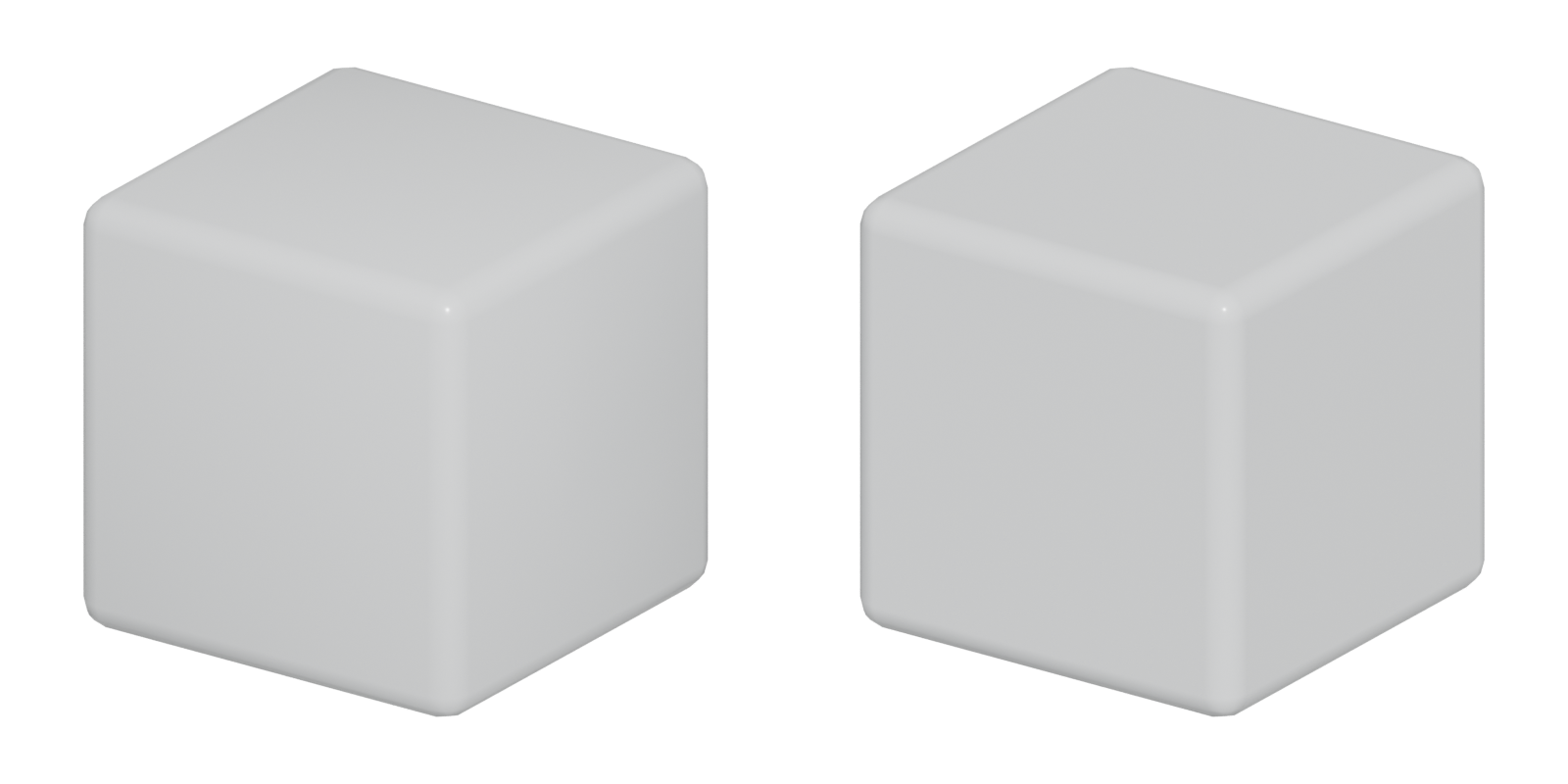
#How real edges catch light
No manufactured edge is truly sharp. Machining, casting, paint and wear all round it slightly. That tiny rounded strip faces in directions neither neighbouring face does, so at some angle it reflects light toward you. You see it as a thin bright line outlining the form.
A mathematically sharp edge in a 3D model has no width, so it never reflects anything on its own. The two faces just meet. You get a hard, often aliased, line where the shading jumps.

#Bevel width and object scale
Width is the most important bevel setting. Too small, and the bevel vanishes at game distances or in a bake. Too large, and a steel crate looks like soft plastic.
- Judge in context. Judge bevels "in relation to the object's real or intended scale and under lighting similar to the final presentation" (GarageFarm blog: Hard Surface Modeling in Blender).
- Wider for bakes. High-poly bevels that look right in your modeling viewport are often too thin to survive a bake. On one Polycount thread about edge artefacts, the advice was to make bevels "over double the current size/strength" (Polycount forum: Advice for solving various normal map/edge…).
- Consistent across similar parts. FrankPolygon names inconsistent edge width as the biggest drawback of manual edge modeling, and uses modifiers to keep it even (Polycount forum: Sketchbook: Frank Polygon).
#Segments and profile
Segments set "the number of edge loops added along the bevel's face" (Blender Manual: Bevel Modifier). One segment gives a flat chamfer. Two or three give a rounded look that shades much better with weighted (custom) normals. More segments cost triangles on every edge.
Profile sets "the shape of the bevel, from concave to convex", and has no effect with fewer than two segments (Blender Manual: Bevel Modifier). Blender also offers a custom profile curve for mouldings and trim (Blender Manual: Bevel Modifier).
#Harden normals and limit methods
A low-segment bevel with plain smooth shading makes the big faces next to it shade unevenly. Blender's Bevel modifier has a Harden Normals option: "the per-vertex face normals of the bevel faces are adjusted to match the surrounding faces", so big faces stay flat while the bevel blends (Blender Manual: Bevel Modifier). In the 2.83 manual this requires Auto Smooth (Blender Manual: Bevel Modifier). The more flexible option is the Weighted Normal modifier, explained in weighted (custom) normals.
Limit Method decides which edges are bevelled. Angle bevels only edges whose faces meet more sharply than a threshold. Weight uses a per-edge bevel weight, where 0 means no bevel (Blender Manual: Bevel Modifier). Angle is fast for blockouts; Weight gives you control on final assets.
#Bevel modifier vs. manual bevels
| Modifier (non-destructive) | Manual / applied | |
|---|---|---|
| Change width later | Yes, one value | Hard; needs tools such as MESHmachine's width change (machin3.io) |
| Consistency | Automatic (Polycount forum) | Up to you |
| Control at corners | Miter options only (Blender Manual) | Full |
| Robustness on messy meshes | Can fail on complex geometry (Blender Manual) | You fix problems as you go |
Use the modifier for most of the work. Apply and fix by hand only where corners or boolean cuts misbehave.
#Bevel shaders
For a high poly that only exists to be baked, you can skip modeling bevels. A bevel shader rounds edges at render time by bending shading normals near edges; the mesh itself does not change.
- Blender Bevel node. "The Bevel shader node can be used for rendering rounded corners." It is Cycles-only and "a very expensive shader", so it suits baking rather than real-time use (Blender Manual: Bevel Node). The manual notes the Bevel modifier "is a faster option when it works, but sometimes fails on complex or messy geometry" (Blender Manual: Bevel Node).
- Marmoset Toolbag Bevel shader. Marmoset describes it as "a ray-traced lighting effect that mimics rounded edges". Width is set in millimetres, so scene units must be correct. It needs Ray Tracing or Hybrid mode, and its result can be baked into normal, AO and curvature maps (Marmoset: Revolutionize Your 3D Workflow with Toolbag's…; Marmoset Toolbag documentation: Bevel).
Limits: the silhouette stays sharp, so large rounded forms still belong in the mesh (Marmoset: Revolutionize Your 3D Workflow with Toolbag's…). Toolbag cannot bake directly from a low poly, so you still need a high and low pair, and it offers no choice of bevel profile (Marmoset: Revolutionize Your 3D Workflow with Toolbag's…). Bevels wider than the polygons cause faceting artefacts (Marmoset: Revolutionize Your 3D Workflow with Toolbag's…).
#In different tools
- Blender: Bevel modifier (width, segments, profile, Harden Normals, limit methods) (Blender Manual: Bevel Modifier); Bevel shader node in Cycles (Blender Manual: Bevel Node); MESHmachine for editing existing chamfers (machin3.io: MESHmachine documentation).
- 3ds Max: 3ds Max 2022 improved Edit Poly chamfers, with easier uniform, radial and path chamfers and smoothing support so new geometry blends in (Arkance Community: What's New in 3ds Max 2022? – New and…).
- Plasticity: Fillet Shell uses a positive distance for a fillet and a negative distance for a chamfer, with variable distance, conic and G2 options (Plasticity documentation: Fillet Shell).
- Marmoset Toolbag: Bevel shader in the Surface module, bakeable (Marmoset Toolbag documentation: Bevel).
#Further reading and watching
References
- · Hard Surface Modeling in Blender · GarageFarm blog · article · accessed 2026-10-21
- · Advice for solving various normal map/edge bake artifacts? · Polycount forum, 2020 · forum · accessed 2026-10-21
- · Sketchbook: Frank Polygon · Polycount forum, 2020 · forum · accessed 2026-10-21
- · Bevel Modifier · Blender Manual (2.83), 2020 · docs · accessed 2026-10-21
- · The 'ultimate trim' technique from Sunset Overdrive · Polycount forum, 2015 · forum · accessed 2026-10-21
- · The Last of Us: Part I...Trim Pipeline · ArtStation · web · accessed 2026-10-21
- · Star Citizen...The Gladiator...ART DUMP · Polycount forum · forum · accessed 2026-10-21
- · MESHmachine documentation · machin3.io · docs · accessed 2026-10-21
- · Bevel Node · Blender Manual (3.3), 2022 · docs · accessed 2026-10-21
- · Revolutionize Your 3D Workflow with Toolbag's Bevel Shader · Marmoset, 2025 · article · accessed 2026-10-21
- · Bevel (Surface module) · Marmoset Toolbag documentation · docs · accessed 2026-10-21
- · Prop Art Tips: Creating a Realistic Radio Receiver in Blender & Marmoset Toolbag · 80 Level, 2025 · article · accessed 2026-10-21
- · Mastering Toolbag's Bevel Shader: Creases, Baking and Texturing · Marmoset, 2025 · article · accessed 2026-10-21
- · What's New in 3ds Max 2022? – New and Improved Object Modifiers · Arkance Community · article · accessed 2026-10-21
- · Fillet Shell · Plasticity documentation · docs · accessed 2026-10-21
Pages that link here
- How to use this handbook Guide
- Vertex Key term
- Edge Key term
- Quad Key term
- Normals (face and vertex) Key term
- Degenerate geometry Key term
- Modeling software Reference
- Shape language Topic
- Scale and proportion Topic
- Ways to build a 3D model Overview
- Box modeling Topic
- Extrude, inset and loop cut Key term
- Subdivision surface modeling Topic
- Edge crease Key term
- CAD and NURBS modeling for games Topic
- Procedural modeling Topic
- Edge flow Topic
- Edge loop Key term
- Support loop (holding edge) Key term
- Hard-surface modeling Topic
- Booleans Topic
- Bevel shaders Key term
- Weighted (custom) normals Topic
- The mid-poly workflow Topic
- The high-to-low workflow Topic
- Collision meshes Topic
- Decimation Key term
- Baking Topic
- Fixing baking artefacts Guide
- Normal map Key term
- Specular aliasing Key term
- Ways to texture an environment Overview
- Trim sheets Topic
- Mesh decals Topic
- Edge wear Key term
- Normal map blending Key term
- Portfolios Topic
- Planning a portfolio piece Guide
- Exercise: your first game-ready prop Exercise
- Exercise: a trim sheet Exercise
- A 12-month learning roadmap Guide
- Game art breakdowns: a curated library Reference
Last updated 2026-10-22