Weighted (custom) normals
Custom vertex normals that let big faces win over small bevels, so bevelled low and mid-poly meshes shade flat and clean without a baked normal map.
Weighted normals (also face-weighted normals, FWN, or custom normals) are vertex normals calculated so that large faces count more than small ones. On a bevelled mesh, the big flat faces keep their own direction and the thin bevels do all the bending, so flat faces shade flat. Blender's modifier "changes the custom normals of a mesh" and is often used to make some faces look flat during shading (Blender Manual: Weighted Normal Modifier).
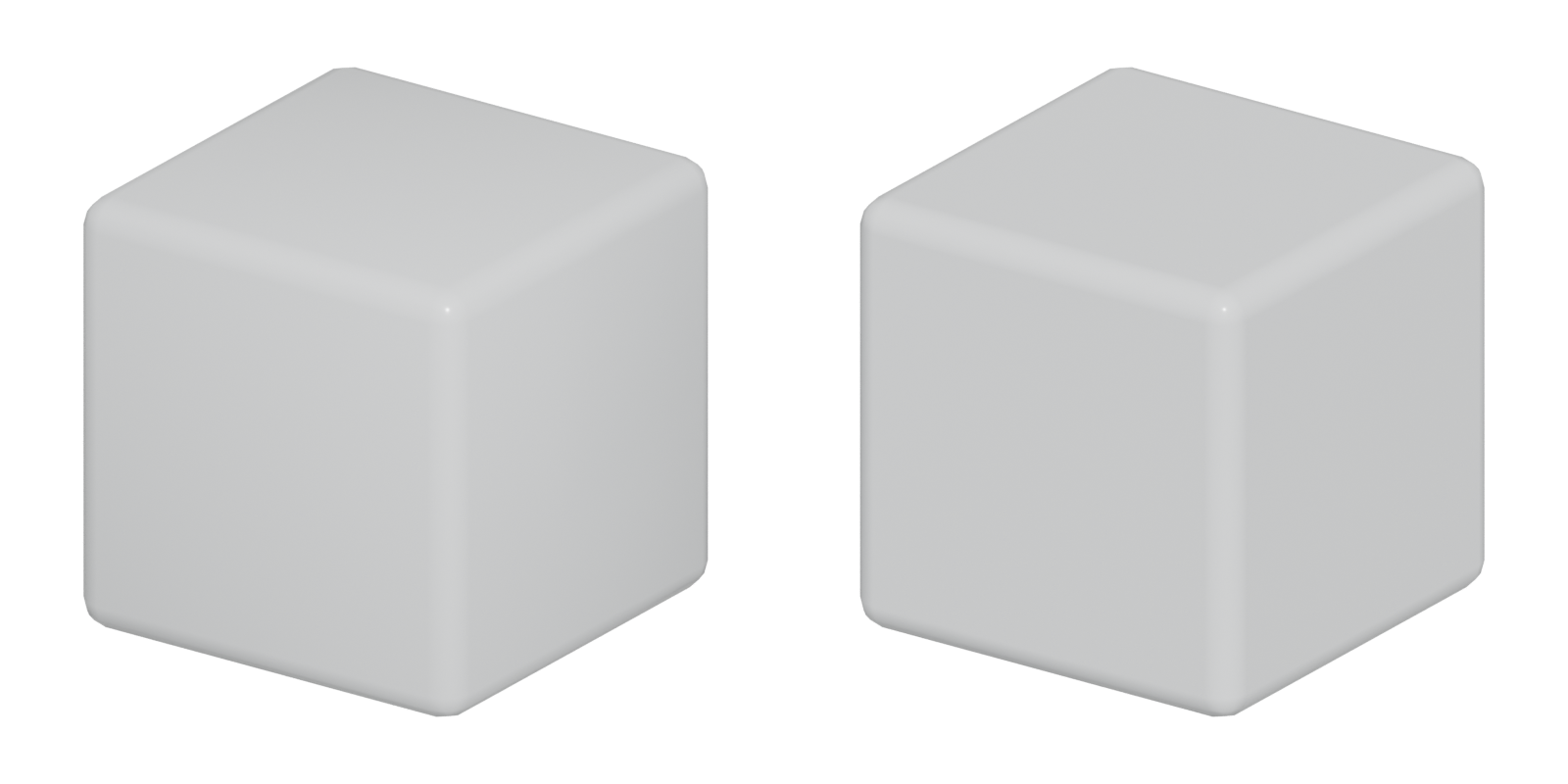
#Shading problems on bevelled meshes
By default, a smooth-shaded vertex gets a normal blended from all faces around it (see normals). Put a small bevel between two big faces and each bevel vertex gets a normal halfway between the big face and the bevel. The renderer interpolates that tilted normal across the big face, which looks like a dark smudge or a dent near every edge.
The old fixes were support loops (more geometry) or hard edges plus a normal map bake. Weighted normals fix the shading by changing only the stored normals: same vertices, same triangles.

#How weighting works
The technique is not new. A 2011 Polycount thread noted that id Software had used the technique since Doom 3, and one member summarised it as: "Literally multiply vertex normal contribution by surface area of the face it belongs to" (Polycount forum: Discuss face weighted normals).
Blender's Weighted Normal modifier offers three modes (Blender Manual: Weighted Normal Modifier):
- Face Area: "A larger area means that the normal from that face will get a higher weight in final result." This is the mode for hard-surface work.
- Corner Angle: weights by the angle each face makes at the vertex; "This is the method Blender uses by default".
- Face Area and Angle: both multiplied together.
Other useful settings (Blender Manual: Weighted Normal Modifier):
- Weight: a contrast control. At 50 all faces count equally; higher values exaggerate the difference.
- Keep Sharp: preserves sharp edges.
- Face Influence: uses face strengths (weak, medium, strong) set by the Set Strength tool or the Bevel modifier, and lets only the strongest face decide. Patscheider recommends it for hard-surface modifier stacks (ArtStation blog: Quarry Bank Mill 3D #07 Modifiers and Wires /…).
#When you still need a normal map
Weighted normals fix shading of the shape you modeled. They do not add detail. You still need a normal map or other texture for:
- detail that is not in the mesh, such as panel lines, screws and dents (often from trim sheets or mesh decals);
- curved surfaces too low in density to shade smoothly;
- cases where a unique bake is cheaper than the extra triangles.
If you do bake onto a weighted-normal mesh, bake with the final custom normals. A participant in the 2011 thread said he would not add FWN to an object with an existing baked normal map, because it may add shading errors (Polycount forum: Discuss face weighted normals). On mid-poly assets, a common answer is that a separate high poly is unnecessary: "mid poly modeled with appropriate detail will serve as both the source and target mesh" (Polycount forum: Weighted Normals (Mid Poly) Workflow…).
#Export and engine import
Custom normals only work if the exporter writes them and the engine keeps them on import.
- Export with normals. Export FBX with custom normals included, and triangulate consistently before export so the engine does not choose a different triangle split.
- Import with normals. In Unreal Engine's FBX importer, Normal Import Method has three choices (Unreal Engine documentation: FBX Import Options Reference in Unreal Engine):
- Compute Normals: "Smoothing group and normal info is discarded from the FBX info." Do not use this.
- Import Normals: "The normals are imported from the FBX file, tangents are computed by the engine." The usual choice for weighted-normal meshes.
- Import Normals and Tangents: nothing is computed by the engine.
- Check under a moving light. Rotate a directional light and look for smudges on flat faces.
#In different tools
- Blender: Weighted Normal modifier, placed after Bevel (Blender Manual: Weighted Normal Modifier). In the 2.8x manuals it required Auto Smooth to be enabled first (Blender Manual: Weighted Normal Modifier); check the manual for your version. The Bevel modifier's Harden Normals and Set Strength options feed into it (Blender Manual: Bevel Modifier).
- 3ds Max: Weighted Normals modifier since 3ds Max 2021 (Autodesk Community: Implement a new Vertex Normal Modifier), improved in 2022 (Arkance Community: What's New in 3ds Max 2022? – New and…).
- Maya: Maya 2013 added a face-weighted normals option in the shape node's Mesh Controls (Polycount forum: Discuss face weighted normals). Artists still use plug-ins: Jessica Canales used GenTools (80 Level: How to Create a Detailed Large-Scale Scene…). Polycount users complain Maya's default weighting gives different results from Max and Blender, and lacks face-size priority control (Polycount forum: Maya and it's Weighted Vertex Normals).
- Modo: one artist in the Sunset Overdrive trim thread said he can "edit vertex normals with one click in Modo 10" (Polycount forum: The 'ultimate trim' technique from Sunset…).
#Further reading and watching
References
- · Weighted Normal Modifier · Blender Manual (2.82), 2020 · docs · accessed 2026-10-21
- · Discuss face weighted normals · Polycount forum, 2011 · forum · accessed 2026-10-21
- · Quarry Bank Mill 3D #07 Modifiers and Wires / #08 The mid-poly workflow · ArtStation blog, 2020 · article · accessed 2026-10-21
- · Weighted Normals (Mid Poly) Workflow Clarification? · Polycount forum · forum · accessed 2026-10-21
- · There's a thing I dont quite get about weighted normals. · Polycount forum, 2019 · forum · accessed 2026-10-21
- · Creating Assets Within the Mid-Poly Workflow in UE5 · 80 Level · article · accessed 2026-10-21
- · FBX Import Options Reference in Unreal Engine · Unreal Engine documentation · docs · accessed 2026-10-21
- · Maya and it's Weighted Vertex Normals · Polycount forum · forum · accessed 2026-10-21
- · Bevel Modifier · Blender Manual (2.83), 2020 · docs · accessed 2026-10-21
- · Implement a new Vertex Normal Modifier (Weighted Normals, Merge, Transfer) · Autodesk Community, 3ds Max Ideas, 2020 · forum · accessed 2026-10-21
- · What's New in 3ds Max 2022? – New and Improved Object Modifiers · Arkance Community · article · accessed 2026-10-21
- · How to Create a Detailed Large-Scale Scene with Rich Props & Assets in Unreal Engine · 80 Level · article · accessed 2026-10-21
- · The 'ultimate trim' technique from Sunset Overdrive · Polycount forum, 2015 · forum · accessed 2026-10-21
- · Gunship · BlenderNation, 2020 · article · accessed 2026-10-21
- · What is the Weighted Normals modifier used for? · Evermotion, 2024 · video · accessed 2026-10-21
Pages that link here
- How to use this handbook Guide
- The game asset pipeline Topic
- Vertex Key term
- Normals (face and vertex) Key term
- Export checklist Guide
- Modeling software Reference
- Ways to build a 3D model Overview
- Subdivision surface modeling Topic
- Hard-surface modeling Topic
- Booleans Topic
- Bevels and chamfers Topic
- The mid-poly workflow Topic
- The high-to-low workflow Topic
- Trim sheets Topic
- Mesh decals Topic
- Geodecals Key term
- Exercise: your first game-ready prop Exercise
- Exercise: a trim sheet Exercise
- Essential talks and videos Reference
Last updated 2026-10-22