Support loop (holding edge)
An extra edge loop placed close to an edge so that it stays tight when the mesh is subdivided; the alternatives are creases and bevels.
A support loop is an extra edge loop placed close to an edge so that the edge stays tight when the mesh is subdivided. It is also called a holding edge, control loop or supporting edge.
Without support, Catmull–Clark subdivision "rounds off edges, and often this is not what you want" (Blender Manual: Subdivision Surface Modifier).
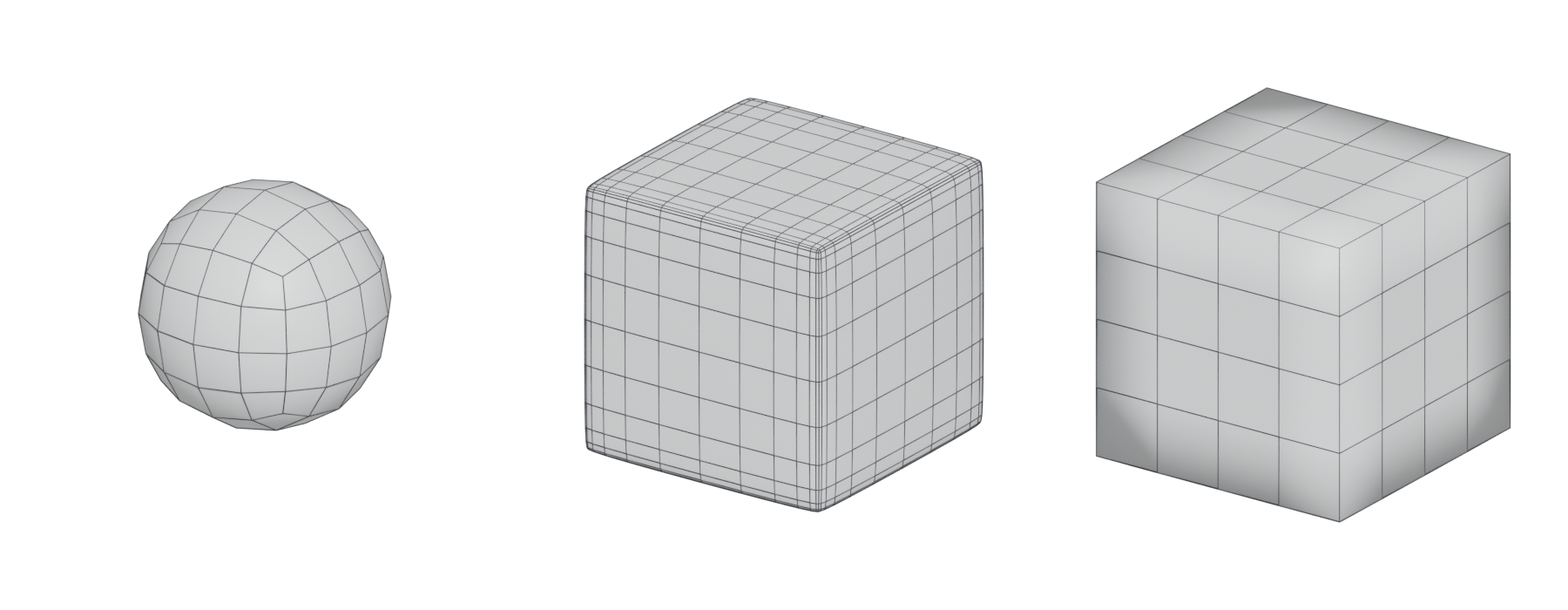
#How it works
Subdivision smooths each vertex towards its neighbours. If an edge's nearest neighbours are far away, the corner melts into a broad curve. Put a loop close to the edge and the smoothing has much less room, so the corner becomes a tight radius.
The Blender Manual describes the same control: adding loops near an edge keeps it crisper, and removing them softens it (Blender Manual: Subdivision Surface Modifier). The distance between the support loop and the edge sets the radius of the final bevel.

#Three ways to keep an edge tight
- Support loops: plain geometry, added by loop cuts or by insetting and bevelling.
- Creases: a sharpness value on the edge. In OpenSubdiv, 0 has no effect and 10 makes the edge "completely sharp" (OpenSubdiv documentation: Subdivision Surfaces). A higher crease value makes a Blender edge "more resistant to the smoothing effect" (Blender Manual: Subdivision Surface Modifier). Cinema 4D has equivalent edge weighting, with options for how weights blend between edges (Cinema 4D R23 Help: Subdivision Surface).
- Bevels: chamfer the edge in the cage, by hand or with a bevel modifier, before subdividing. The bevel's extra segments act as support loops with an exact, even width. See bevels and chamfers.
#Common mistakes
- Support loops running everywhere. Each loop continues round the whole mesh. End loops at a pole in a flat area, or use creases locally.
- Uneven spacing. Different distances on each side of a corner give lopsided bevels.
- Pinching at corners. Where three supported edges meet, the corner often needs extra cuts or a careful bevel to avoid a pinch.
- Too tight for the bake. A 1 mm radius can vanish in the normal map.
#Related terms
edge loop · edge ring · subdivision surface modeling · bevels and chamfers · hard-surface modeling · the high-to-low workflow
#Further reading and watching
References
- · Subdivision Surface Modifier · Blender Manual (2.83), 2020 · docs · accessed 2026-10-20
- · Subdivision Surfaces · OpenSubdiv documentation (source file on GitHub) · docs · accessed 2026-10-20
- · Subdivision Surface · Cinema 4D R23 Help · docs · accessed 2026-10-20
- · Need opinion on what a good topology is · Polycount, 2020 · forum · accessed 2026-10-20
- · Best Practices for Hard Surface Normal Map Baking · 80 Level, 2018 · article · accessed 2026-10-20
Pages that link here
- Edge Key term
- Quad Key term
- Degenerate geometry Key term
- Modeling software Reference
- AI-assisted 3D generation Topic
- Ways to build a 3D model Overview
- Box modeling Topic
- Extrude, inset and loop cut Key term
- Subdivision surface modeling Topic
- Control cage and limit surface Key term
- Edge crease Key term
- CAD and NURBS modeling for games Topic
- Edge loop Key term
- Edge ring Key term
- Hard-surface modeling Topic
- Weighted (custom) normals Topic
- The mid-poly workflow Topic
- Floaters Key term
- Fixing baking artefacts Guide
- Exercise: your first game-ready prop Exercise
- A 12-month learning roadmap Guide
Last updated 2026-10-22