Tangent space and MikkTSpace
The per-vertex frame a normal map is read in; why the baker and engine must calculate it identically (MikkTSpace), what a synced workflow is, and which engines expect OpenGL (Y+) or DirectX (Y−) green channels.
Tangent space is a small coordinate frame at every point of a mesh, made of the surface normal (N), a tangent (T) that follows the U direction of the UVs, and a bitangent (B) that follows V. A tangent-space normal map stores directions relative to this frame, which is why the same map works on a mesh that moves, bends or is rotated. Blender calls tangent space "the default, and the right choice in most cases" for baked normal maps (Blender Manual: Render Baking).

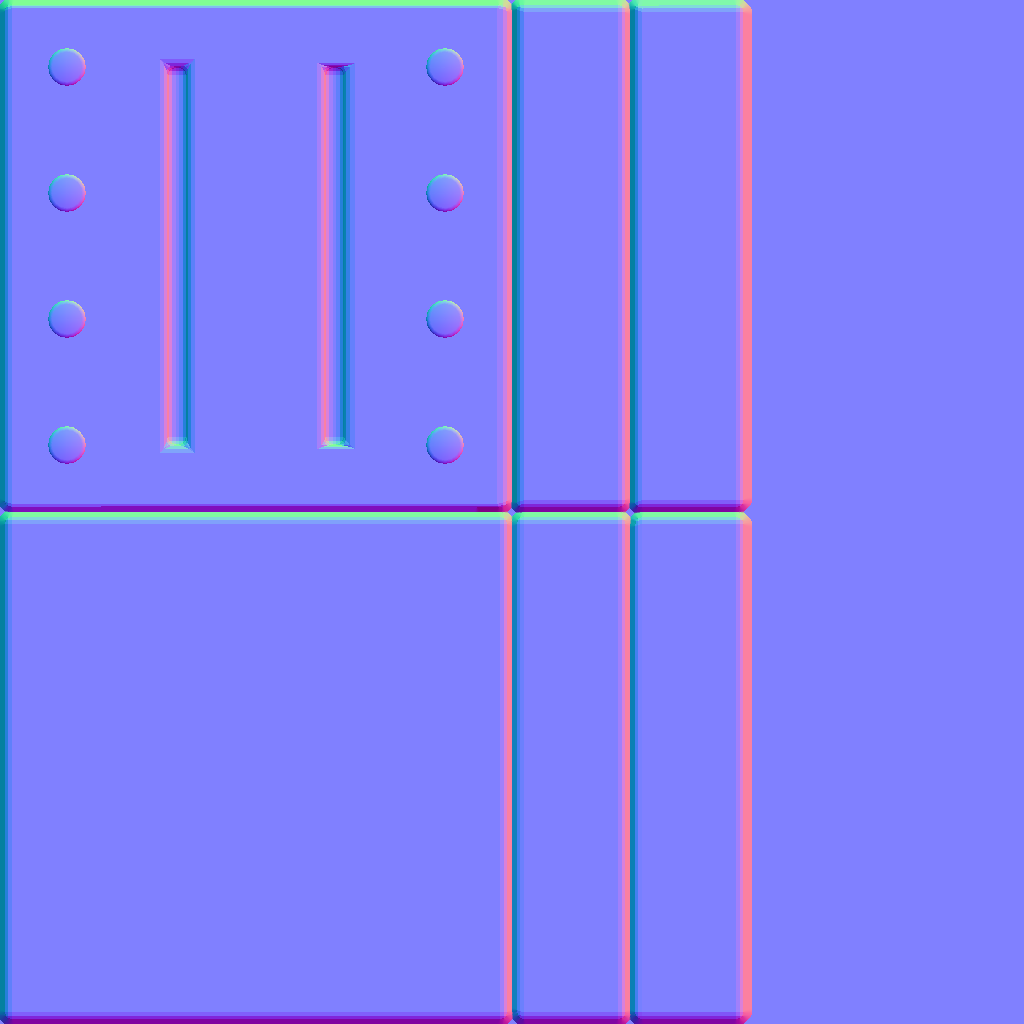
#Matching tangent space in baker and engine
The baker writes colours by comparing the high poly against the low poly's tangent frame; the engine reads them back with its own tangent frame. If the two frames differ even slightly, the shading is wrong: soft gradients, seams or X-shaped smudges. MikkTSpace's source header states the requirement plainly: "the normal map sampler must use the exact inverse of the pixel shader transformation" (GitHub: mikktspace.h).
Tangent frames depend on the mesh's normals, UVs and triangulation. Marmoset calls X-shaped errors "a type of tangent space mismatch, as variance in the edge direction can cause the tangent basis to differ" (Marmoset Toolbag documentation: Baking Tips & Tricks). This is one reason to triangulate before baking (Substance 3D Bakers documentation: Triangulating before baking).
#MikkTSpace
MikkTSpace is a tangent-space algorithm written by Morten S. Mikkelsen in 2011, "designed to consistently generate the same tangent spaces, for a given mesh, in any tool in which it is used" (GitHub: mikktspace.h). It became the common standard for game art:
- Marmoset recommends "Mikk / xNormal" because "that is what Unity, the Unreal Engine, and various other applications use" (Marmoset Toolbag documentation: Tangent & Handedness).
- Substance's bakers recompute tangents with MikkTSpace by default (Substance 3D Bakers documentation: Tangent space).
- Unity's importer has a "Calculate Mikktspace" option for tangents (Unity Manual: Model tab), and Unreal's importer lets you choose "between MikkTSpace or Built-in" generation (Unreal Engine documentation: FBX Import Options Reference).
Even within MikkTSpace there are small variants. Substance Painter's per-fragment option is set off for xNormal and Unity 5.3+, and on for Unreal Engine 4, Blender and Unity HDRP (Substance 3D Bakers documentation: Tangent space). Your baker's documentation will list the right preset per engine.
#The synced workflow
A synced (or synced normals) workflow means the baker and the engine use exactly the same tangent basis, on exactly the same mesh. With it, EarthQuake says, "there is simply no drawback to using hard edges along your uv seams", and you "can often get away with less uv seams" (Polycount forum: Making sense of hard edges, uvs, normal maps…). In practice:
- Triangulate the low poly and export it with its normals (and tangents, if your pipeline uses them).
- Bake with the engine's tangent space; Marmoset uses whatever "the tangent space that your mesh is currently set to" is (Marmoset: The Toolbag Baking Tutorial).
- Import into the engine without recomputing normals. In Unreal, Import Normals or Import Normals and Tangents (Unreal Engine documentation: FBX Import Options Reference). See smoothing, hard edges and smoothing groups.
#OpenGL (Y+) versus DirectX (Y−)
Separately from the tangent algorithm, programs disagree on which way the green channel points. Adobe: "OpenGL expects the first pixel to be at the bottom while DirectX expects it to be at the top" (Substance 3D Bakers documentation: What is the difference between the OpenGL and…). Marmoset: "Right-handedness is sometimes called OpenGL or Maya style, while left-handedness is called DirectX or 3DS Max style" (Marmoset Toolbag documentation: Tangent & Handedness).
| Program | Green channel | Source |
|---|---|---|
| Unreal Engine | DirectX (Y−) | World of Level Design (World of Level Design); Epic's older UE3 guide: "Unreal Engine uses normal maps where the green channel is facing down" (Unreal Developer Network) |
| 3ds Max | DirectX (Y−) | World of Level Design (World of Level Design); Marmoset names Y− "3DS Max style" (Marmoset Toolbag documentation) |
| Unity | OpenGL (Y+): "Unity uses Y+ normal maps, sometimes known as OpenGL format" | Unity Manual (Unity Manual) |
| Blender | OpenGL (Y+) | World of Level Design (World of Level Design) |
| Maya | OpenGL (Y+) | World of Level Design (World of Level Design); Marmoset names Y+ "Maya style" (Marmoset Toolbag documentation) |
| Godot | OpenGL (Y+): "Godot requires the normal map to use the X+, Y+ and Z+ coordinates, this is known as OpenGL style" | Godot docs (Godot documentation) |
To convert between them, flip the green channel. Bakers have a toggle (Toolbag's Flip Y (Marmoset: The Toolbag Baking Tutorial)), and engines can flip on import; Unity's importer option "Indicates whether to invert the green channel values of a normal map" (Unity Scripting Reference: TextureImporter.flipGreenChannel). Adobe's advice for any other program: "refer to the target application in which your textures will be used" (Substance 3D Bakers documentation: What is the difference between the OpenGL and…).
#Common mistakes
- Baking in one tangent space and rendering in another. Marmoset warns of "potentially serious shading artifacts", even on a perfect bake (Marmoset Toolbag documentation: Tangent & Handedness).
- Letting the engine recompute normals after a synced bake (Unreal Engine documentation: FBX Import Options Reference).
- Different triangulation in baker and engine (Substance 3D Bakers documentation: Triangulating before baking; GitHub: mikktspace.h).
- Wrong green channel, which makes bumps look like dents.
- Editing the low poly after baking. Any change to normals or UVs changes the tangent frame.
#Related terms
normal map · baking · smoothing, hard edges and smoothing groups · triangulation · coordinate systems and handedness · fixing baking artefacts
#Further reading and watching
References
- · Render Baking (Cycles) · Blender Manual (2.93), 2021 · docs · accessed 2026-10-21
- · mikktspace.h (MikkTSpace source header) · GitHub (mmikk/MikkTSpace), 2011 · docs · accessed 2026-10-21
- · Baking Tips & Tricks · Marmoset Toolbag documentation, 2025 · docs · accessed 2026-10-21
- · Triangulating before baking · Substance 3D Bakers documentation · docs · accessed 2026-10-21
- · Tangent & Handedness · Marmoset Toolbag documentation · docs · accessed 2026-10-21
- · Tangent space (Substance bakers) · Substance 3D Bakers documentation · docs · accessed 2026-10-21
- · Model tab (FBX Importer) · Unity Manual · docs · accessed 2026-10-21
- · FBX Import Options Reference · Unreal Engine documentation · docs · accessed 2026-10-21
- · Making sense of hard edges, uvs, normal maps and vertex counts · Polycount forum, 2012 · forum · accessed 2026-10-21
- · The Toolbag Baking Tutorial · Marmoset, 2017 · article · accessed 2026-10-21
- · What is the difference between the OpenGL and DirectX normal format? · Substance 3D Bakers documentation · docs · accessed 2026-10-21
- · DirectX vs OpenGL: Understanding, Using, Creating DirectX or OpenGL Normal Map Formats · World of Level Design, 2026 · article · accessed 2026-10-21
- · Creating Normal Maps · Unreal Developer Network (UE3/UDK documentation) · docs · accessed 2026-10-21
- · Normal map (Bump mapping) · Unity Manual · docs · accessed 2026-10-21
- · Standard Material 3D and ORM Material 3D (documentation source) · Godot documentation (GitHub) · docs · accessed 2026-10-21
- · TextureImporter.flipGreenChannel · Unity Scripting Reference (6.3 LTS) · docs · accessed 2026-10-21
Pages that link here
- The game asset pipeline Topic
- Anatomy of a polygon mesh Topic
- Normals (face and vertex) Key term
- Degenerate geometry Key term
- Triangulation Key term
- Coordinate systems and handedness Key term
- Export checklist Guide
- UV, retopology and baking tools Reference
- Smoothing, hard edges and smoothing groups Topic
- The high-to-low workflow Topic
- Baking Topic
- Fixing baking artefacts Guide
- Texture maps explained Reference
- Normal map Key term
- Parallax occlusion mapping Key term
- Channel packing (ORM) Key term
- Triplanar and world-aligned mapping Topic
- Normal map blending Key term
- Virtualised geometry (Nanite) Topic
- Exercise: your first game-ready prop Exercise
- A 12-month learning roadmap Guide
Last updated 2026-10-22