Triangulation
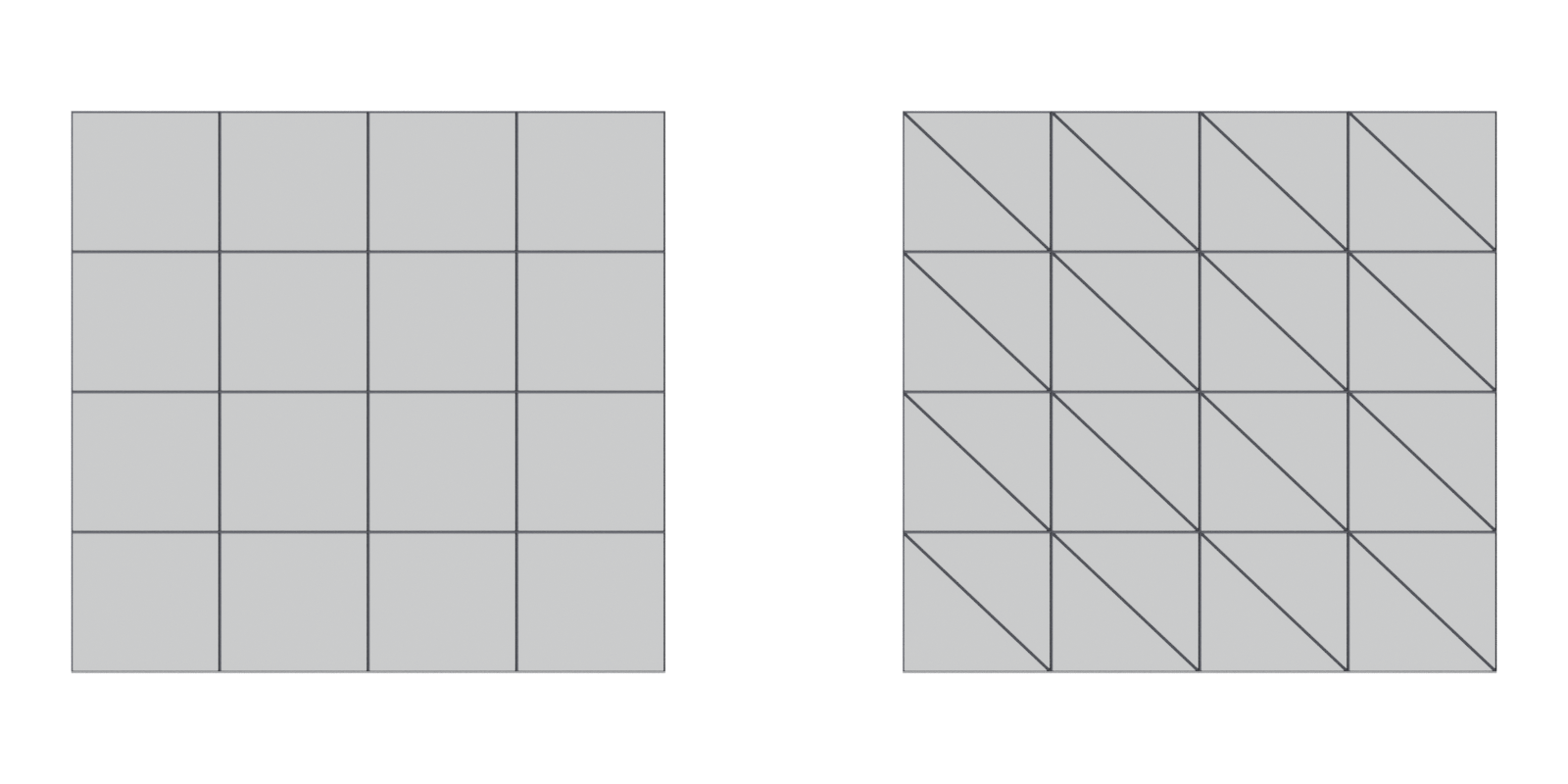
Splitting quads and n-gons into triangles. Every mesh is triangulated before the GPU draws it; doing it yourself, before baking, keeps shading and normal maps consistent.
Triangulation is splitting quads and n-gons into triangles. It always happens somewhere, because meshes "must be triangulated as the graphics hardware only deals with triangles" (Unreal Engine Documentation: FBX Static Mesh Pipeline). What varies is which tool does it, and whether every tool in your pipeline does it the same way.
#Why it matters
#Several possible splits
A quad can be split along either diagonal. An n-gon can be split in many ways. Adobe's baking documentation states: "There are no standard solutions to convert Quad/N-Gons into triangles", so different programs make different, equally valid choices (Adobe Substance 3D Bakers documentation: Triangulating before baking).
On a perfectly flat quad, both diagonals give the same surface. On a non-planar quad, one whose four corners do not lie on one plane, they do not. One split gives a valley, the other a ridge. Triangles never have this problem because they "are always flat" (Blender 3.1 Manual: Mesh Structure).

#Matching triangulation in the baker and the engine
Tangent-space normal maps are baked relative to the low-poly mesh's own shading. If the triangles change after baking, the map no longer fits. Morten Mikkelsen explained on Blender's developer list that "the interpolated tangent space is heavily impacted by which diagonal is picked", so "you get problems if baker and render don't pick the same triangulation" (bf-committers mailing list: [Bf-committers] Triangulate modifier). In the same thread, the artist metalliandy stressed that normal maps need the low-poly to be "100% identical to the mesh used for baking" (bf-committers mailing list: [Bf-committers] Triangulate modifier).
Adobe gives the visible symptom: a normal map showing black artefacts on a mesh triangulated differently from the one the baker used (Adobe Substance 3D Bakers documentation: Triangulating before baking). On Polycount, an artist summed up the rule: "the triangulation you bake with MUST match the triangulation you end up using the baked map on" (Polycount forum: Max to Xnormal bake issue). See baking and fixing baking artefacts.
#How to triangulate in different tools
- Blender, Triangulate modifier. Converts "all faces in a mesh (quads and n-gons) to triangular faces" non-destructively (Blender 4.0 Manual: Triangulate Modifier). Quad methods: Beauty, Fixed (1st to 3rd vertex), Fixed Alternate (2nd to 4th), Shortest Diagonal and Longest Diagonal. N-gon methods: Beauty and Clip (ear clipping). Minimum Vertices set to 5 triangulates only n-gons, and Keep Normals tries to preserve custom-normal shading (Blender 4.0 Manual: Triangulate Modifier). Put it last in the modifier stack and bake from the result.
- Blender, FBX export. The exporter's Triangulate Faces option will "convert all faces to triangles" on export (Blender 3.3 Python API Documentation: Export Scene Operators). It is convenient, but make sure the baker sees the same triangles.
- Blender, 3D Print Toolbox. Its Distorted check finds quads and n-gons folded out of flat, since such a face "can triangulate in unexpected ways", and a clean-up that triangulates just those faces (Blender 3.6 Manual: 3D Print Toolbox).
- Maya. Mesh > Cleanup can tessellate (triangulate) non-planar faces, concave faces, faces with holes and faces with more than four sides (Maya 2017 Help: Cleanup Options).
- Unreal Engine. Triangulates anything that is not already triangles on import; Epic recommends doing it yourself first (Unreal Engine Documentation: FBX Static Mesh Pipeline).
- Unity. Triangulates on import unless you enable Keep Quads, which stops "converting polygons that have four vertices to triangles" (Unity Manual 2018.2: Model tab).
#Common mistakes
- Baking a quad mesh and importing it untriangulated. Your baker and engine may disagree (Adobe Substance 3D Bakers documentation: Triangulating before baking).
- Triangulating after baking. In the Polycount handplane thread, EarthQuake warns that "if you triangulate your mesh in Maya after you bake, the mesh normals change" (Polycount forum: Official handplane support thread). Re-bake if you change the triangles.
- Destroying your quad source. Apply triangulation to an export copy or use a modifier.
- Ignoring non-planar quads on silhouettes and large faces. These are where the diagonal is most visible. Fix them first.
#Related terms
triangle · quad · N-gon · normals · baking · tangent space and MikkTSpace · normal map · fixing baking artefacts
#Further reading and watching
References
- · FBX Static Mesh Pipeline · Unreal Engine Documentation · docs · accessed 2026-10-20
- · Triangulating before baking · Adobe Substance 3D Bakers documentation · docs · accessed 2026-10-20
- · Mesh Structure · Blender 3.1 Manual, 2022 · docs · accessed 2026-10-20
- Why are my mesh normals looking wrong when imorted to unreal engine? · Unreal Engine Forums · forum · accessed 2026-10-20
- · [Bf-committers] Triangulate modifier · bf-committers mailing list, 2012 · forum · accessed 2026-10-20
- Max to Xnormal bake issue · Polycount forum, 2016 · forum · accessed 2026-10-20
- Tris vs Quads for videogames · CG Cookie forums, 2019 · forum · accessed 2026-10-20
- Official handplane support thread · Polycount forum, 2013 · forum · accessed 2026-10-20
- · Triangulate Modifier · Blender 4.0 Manual, 2023 · docs · accessed 2026-10-20
- · Export Scene Operators (bpy.ops.export_scene.fbx) · Blender 3.3 Python API Documentation, 2022 · docs · accessed 2026-10-20
- · 3D Print Toolbox · Blender 3.6 Manual, 2023 · docs · accessed 2026-10-20
- · Cleanup Options · Maya 2017 Help, 2016 · docs · accessed 2026-10-20
- · Model tab (FBX Importer settings) · Unity Manual 2018.2, 2018 · docs · accessed 2026-10-20
Pages that link here
- Anatomy of a polygon mesh Topic
- Face (polygon) Key term
- Triangle Key term
- Quad Key term
- N-gon Key term
- Normals (face and vertex) Key term
- glTF Key term
- Export checklist Guide
- Ways to build a 3D model Overview
- Box modeling Topic
- Extrude, inset and loop cut Key term
- Subdivision surface modeling Topic
- CAD and NURBS modeling for games Topic
- Topology Topic
- Hard-surface modeling Topic
- Booleans Topic
- Weighted (custom) normals Topic
- The high-to-low workflow Topic
- Polygon and triangle budgets Topic
- Decimation Key term
- Baking Topic
- Tangent space and MikkTSpace Key term
- Fixing baking artefacts Guide
- Edge wear Key term
- Vertex painting and blending Topic
Last updated 2026-10-22