Frustum and occlusion culling
Skipping objects the camera cannot see (outside the view, hidden behind other geometry, too far away or known to be invisible from a precomputed cell) before they cost draw calls; how Unreal and Unity do it and how artists can help.
Culling means deciding, before drawing, which objects cannot be seen and skipping them. Epic lists four methods in Unreal (distance, view frustum, precomputed visibility and dynamic occlusion), and says "each method works to reduce the number of visible Actors in the Level" (Unreal Engine documentation: Visibility and Occlusion Culling in Unreal…).
Culling happens per object, using each object's bounds rather than its triangles (Unreal Engine documentation: Visibility and Occlusion Culling in Unreal…). That is why the way artists split and size meshes affects how well it works.
#Four kinds of culling

- Frustum culling drops objects outside the camera's view. Unity cameras do it by default, excluding "all Renderers that do not fall within the Camera's view frustum" (Unity Manual: Occlusion culling). It does not check whether something is hidden behind something else (Unity Manual: Occlusion culling).
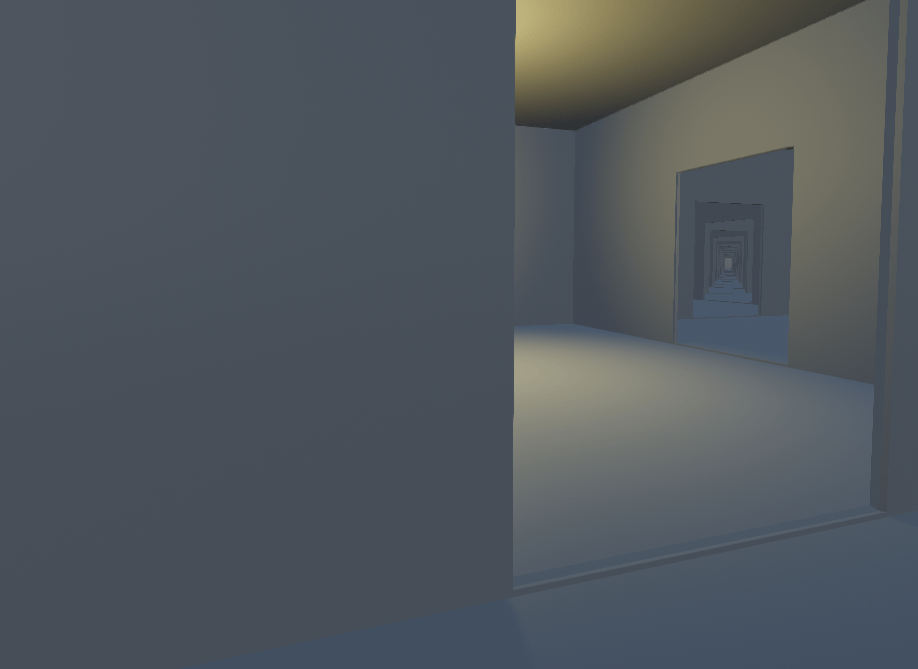
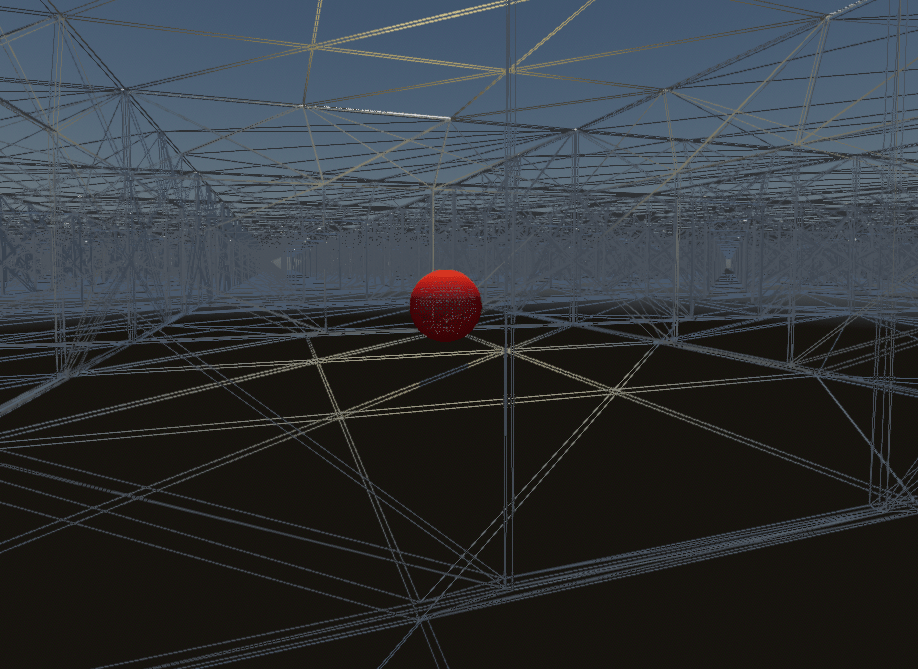
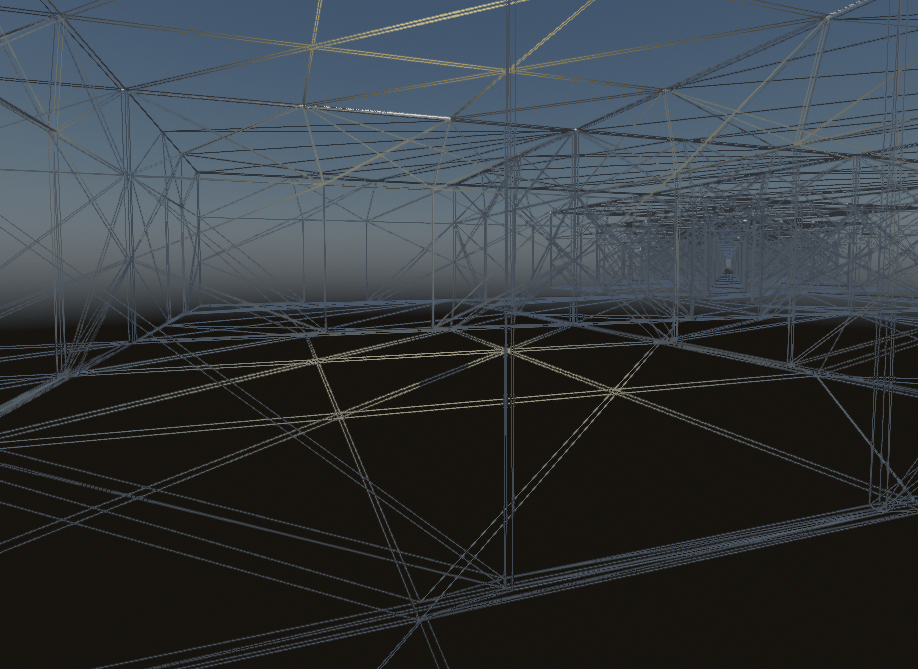
- Occlusion culling drops objects hidden behind others. Unreal uses hardware occlusion queries by default, alongside frustum culling (Unreal Engine documentation: Visibility and Occlusion Culling in Unreal…). Their results arrive a frame late, which can make objects "pop" in when the camera moves very fast (Unreal Engine documentation: Visibility and Occlusion Culling in Unreal…).
- Distance culling drops objects beyond a set distance. In Unreal this is a per-actor maximum draw distance or a Cull Distance Volume, which Epic calls "ideal for large outdoor levels" (Unreal Engine documentation: Visibility and Occlusion Culling in Unreal…).
- Precomputed visibility stores, per cell, what can be seen from there. Unreal generates it "offline (during a lighting build)" for non-movable actors and recommends it for small to medium levels and mobile (Unreal Engine documentation: Visibility and Occlusion Culling in Unreal…). Unity's built-in occlusion system is also baked: it "divides the Scene into cells" and queries that data at runtime (Unity Manual: Occlusion culling).
#Culling, draw calls and HLOD
Every object that survives culling costs at least one draw call per material. Epic's stats guidance names visible static mesh elements as "the single biggest contributor to rendering thread time" (Unreal Engine documentation: Visibility and Occlusion Culling in Unreal…). Culling and draw-call reduction pull in opposite directions, though. Merging a whole street into one mesh saves draw calls, but the merged mesh is drawn whenever any part of it is visible. Splitting it into many pieces lets culling remove more, at the price of more objects to test and draw.
HLOD is the usual compromise for distance: far away, many objects become one proxy with few draw calls; close up, the separate pieces return and cull individually. See instancing for the other common way to draw many copies cheaply.
#How artists can help
- Size modular pieces for culling. A wall piece that spans a whole building can only be culled as a whole. Pieces at room or facade scale let occlusion and frustum culling work. See modular kits.
- Build real occluders. Walls, cliffs and buildings that block views help occlusion more than open, see-through spaces. Unity says its occlusion culling "works best in Scenes where small, well-defined areas are clearly separated", such as rooms joined by corridors (Unity Manual: Occlusion culling). In layout terms, a bend in a corridor is also a culling tool; see sightlines and vistas.
- Set cull distances by size. A bolt does not need to draw at 150 m. A Cull Distance Volume holds arrays of sizes and distances so small objects stop drawing sooner (Unreal Engine documentation: Visibility and Occlusion Culling in Unreal…).
- Keep bounds tight. Epic warns that "Increasing an Actor's bounds can potentially impact performance and shadow quality" (Unreal Engine documentation: Visibility and Occlusion Culling in Unreal…). Inflated bounds make objects look visible when they are not.
- Know what cannot occlude. In Unity, dynamic objects can be occluded, but "Dynamic GameObjects cannot occlude other GameObjects" (Unity Manual: Occlusion culling).

#How to set one up
Unreal Engine
- Check the defaults first: frustum culling and hardware occlusion queries are already on (Unreal Engine documentation: Visibility and Occlusion Culling in Unreal…).
- Place a Cull Distance Volume around an outdoor area and fill its size and distance arrays, for example as in the chart above (Unreal Engine documentation: Visibility and Occlusion Culling in Unreal…).
- For special actors, set a per-actor maximum draw distance in the Details panel; the Current Maximum Draw Distance shows the volume's effect (Unreal Engine documentation: Visibility and Occlusion Culling in Unreal…).
- For small levels or mobile, add a Precomputed Visibility Volume and build lighting (Unreal Engine documentation: Visibility and Occlusion Culling in Unreal…).
- Measure with
stat initviewsin Play In Editor or Standalone, and check occluded objects withr.VisualizeOccludedPrimitives 1andFreezeRendering(Unreal Engine documentation: Visibility and Occlusion Culling in Unreal…). Wireframe view disables occlusion culling, so do not judge it there (Unreal Engine documentation: Visibility and Occlusion Culling in Unreal…).
Unity
- Frustum culling is already active on every camera (Unity Manual: Occlusion culling).
- Open the Occlusion Culling window, set up the scene and bake (Unity Manual: Occlusion culling).
- Enable Occlusion Culling on the camera, which then runs both kinds (Unity Manual: Occlusion culling).
- In URP or HDRP on Unity 6, compare with GPU occlusion culling, which the manual offers as an alternative (Unity Manual: Occlusion culling).
#Video tutorials
#Use in shipped games
- Destiny (Bungie, 2014). Automatic visibility with Umbra 3, used for occlusion culling and other spatial queries (GDC 2013: Powering up Destiny's Level Creation and…).
- The Witcher 3: Wild Hunt (CD PROJEKT RED, 2015). Automatic occluders instead of manual markup across a large open world, combined with streaming and LOD (GDC 2014: Solving Visibility and Streaming in The…).
Related: draw calls · hierarchical LOD · level of detail · instancing · overdraw · frame budgets · performance and profiling · level streaming and World Partition · winding order and backface culling
#Further reading and watching
References
- · Visibility and Occlusion Culling in Unreal Engine · Unreal Engine documentation · docs · accessed 2026-10-22
- · Occlusion culling · Unity Manual (Unity 6) · docs · accessed 2026-10-22
- · Solving Visibility and Streaming in The Witcher 3: Wild Hunt with Umbra 3 · GDC 2014 (GDC Vault), 2014 · talk · accessed 2026-10-22
- · Powering up Destiny's Level Creation and Rendering with Umbra 3 · GDC 2013 (GDC Vault), 2013 · talk · accessed 2026-10-22
Also consulted
- · Unity Occlusion Culling and Frustum Culling : Unity 3D Rendering Optimization ! · YouTube · video · accessed 2026-10-22
- · Occlusion culling · Godot Engine documentation · docs · accessed 2026-10-22
Pages that link here
- Foliage and vegetation Topic
- Vertex animation textures (VAT) Key term
- Level streaming and World Partition Topic
- Virtualised geometry (Nanite) Topic
- Draw calls Key term
Last updated 2026-10-22