Subdivision surface modeling
Modeling a light polygon cage and letting an algorithm, usually Catmull–Clark, compute a smooth surface from it; in games, mostly used for high-poly bake sources.
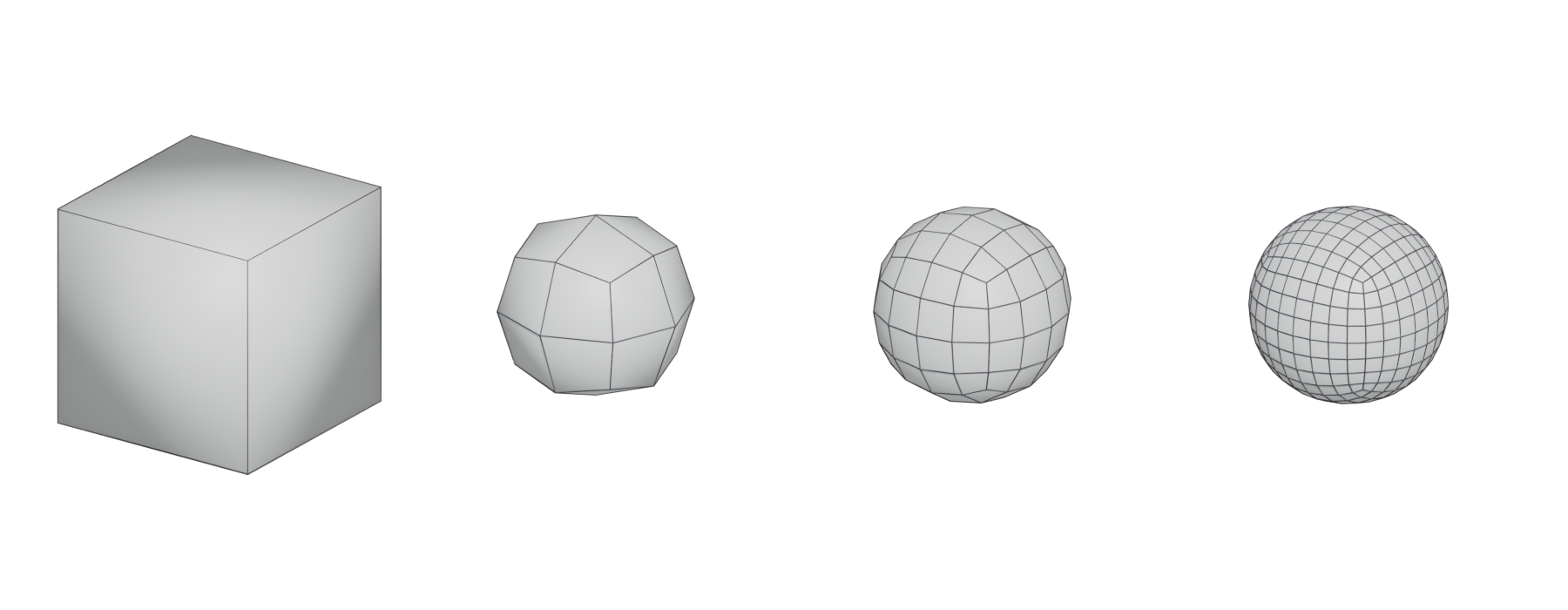
Subdivision surface modeling means building a light, low-resolution polygon "cage" and letting an algorithm compute a smooth surface from it. You keep editing the simple cage; the software shows you the smooth result.
In film this is a final-render technique. In games it is mostly a way to make the high-poly source mesh that you bake onto a low-poly game model.
#What a subdivision surface is
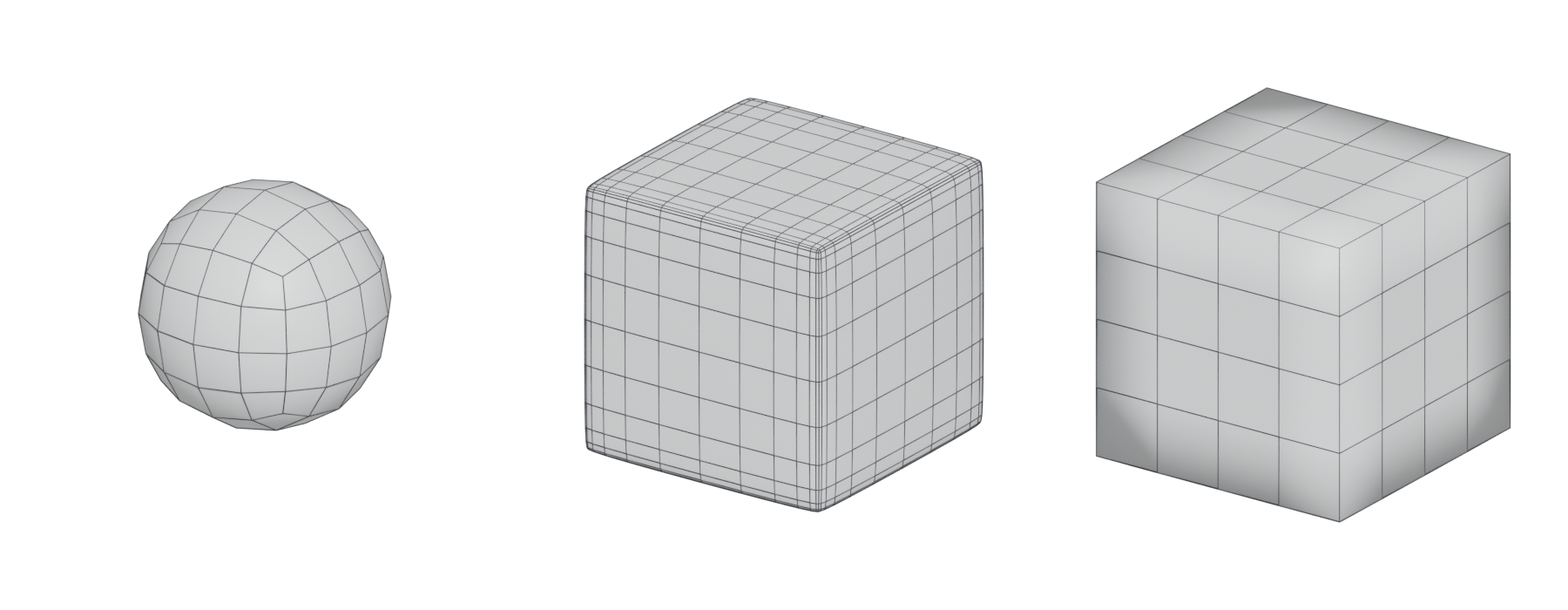
Pixar's OpenSubdiv documentation describes subdivision as two things at once: an operation that refines a polygon mesh, and "a mathematical tool that defines the underlying smooth surface to which repeated subdivision of the mesh converges" (OpenSubdiv documentation: Subdivision Surfaces). That smooth surface is called the limit surface.
The points you edit are the control points, and the mesh they form is called the control mesh, control hull or cage (OpenSubdiv documentation: Subdivision Surfaces). You never model the limit surface directly. You shape it by moving the cage.

In practice, tools show you the result of a fixed number of subdivision steps ("levels"), which is close to, but not exactly, the limit surface. OpenSubdiv notes that these differences "have led to confusion in how some tools expose subdivision surfaces" (OpenSubdiv documentation: Subdivision Surfaces). For game art the distinction rarely matters: you bake whatever the viewport shows at your chosen level.
#The Catmull–Clark scheme
The Catmull–Clark scheme was devised by Edwin Catmull and Jim Clark and published in 1978 as "Recursively generated B-spline surfaces on arbitrary topological meshes" in the journal Computer-Aided Design (Wikipedia: Catmull–Clark subdivision surface; Joy 1996). It extends the subdivision of ordinary bicubic B-spline patches to meshes of any topology (Joy 1996).
Each step works like this (Wikipedia: Catmull–Clark subdivision surface):
- Add a face point at the average of each face's corners.
- Add an edge point for each edge, from its two end points and the two neighbouring face points.
- Move each original vertex to a weighted average of nearby face points, edge midpoints and its old position. The weights depend on the vertex's valence (how many edges meet there).
- Connect everything into new faces.
After one step, the new mesh "will consist only of quadrilaterals" (Wikipedia: Catmull–Clark subdivision surface). This is one reason quads are important in this workflow: a triangle or N-gon in the cage is turned into quads anyway, but the surface around it behaves differently.
OpenSubdiv supports two schemes: Catmull–Clark, which is "more widely used and suited to quad-dominant meshes", and Loop, which is for purely triangulated meshes (OpenSubdiv documentation: Subdivision Surfaces). Blender's modifier uses OpenSubdiv as its backend (Blender Manual: Subdivision Surface Modifier), and Cinema 4D offers both OpenSubdiv Catmull–Clark and Loop types (Cinema 4D R23 Help: Subdivision Surface).
#Regular and irregular areas
Where the cage forms a regular grid of quads, the limit surface is simple and predictable. OpenSubdiv calls these areas "regular" (OpenSubdiv documentation: Subdivision Surfaces). Everything else is "irregular".
The most common irregular feature is an extraordinary vertex: a vertex that, in Catmull–Clark, "does not have four incident faces" (OpenSubdiv documentation: Subdivision Surfaces). Modelers usually call this a pole. Poles are unavoidable on most shapes, but OpenSubdiv warns that minimising irregularities is advantageous, and that the surface around them can show "undesirable artefacts" (OpenSubdiv documentation: Subdivision Surfaces).
Triangles are a special case. OpenSubdiv even offers an optional "triangle subdivision" rule because the default rules produce "undesirable surface artefacts" at triangular faces (OpenSubdiv documentation: Subdivision Surfaces). The practical consequence is to keep the cage quad-based, and put poles and triangles where the surface is flat or hidden.
This is why topology and edge flow are discussed so much around subdivision. Read those pages next.
#Controlling sharpness: support loops, creases and bevels
Catmull–Clark "rounds off edges, and often this is not what you want" (Blender Manual: Subdivision Surface Modifier). There are three ways to get a tighter edge.
Support loops (also called holding or control edges): extra edge loops placed close to an edge. The closer they are, the tighter the corner. Adding loops near an edge keeps it crisper; removing them softens it (Blender Manual: Subdivision Surface Modifier). See support loop.
Creases: a sharpness value stored on edges or vertices. In OpenSubdiv, values range from 0 (no effect) to 10 (completely sharp) (OpenSubdiv documentation: Subdivision Surfaces). Because real objects never have infinitely sharp edges, the documentation says "it is often preferable to set the sharpness lower than this value, making the crease 'semi-sharp'" (OpenSubdiv documentation: Subdivision Surfaces). In Blender, a higher crease value makes an edge "more resistant to the smoothing effect of subdivision surfaces" (Blender Manual: Subdivision Surface Modifier).
Bevels in the cage: chamfer the edge (by hand or with a bevel modifier) before subdividing. The bevel's segments act as support loops and give a controlled radius. See bevels and chamfers.

#Subdivision in game production
For game art, treat subdivision as one stage of the the high-to-low workflow rather than something the player sees:
- Model a cage (often by box modeling).
- Subdivide it with support loops to make a smooth high-poly.
- Build or derive a low-poly, often by removing support loops from the cage.
- Bake the high-poly's surface detail into a normal map on the low-poly. Marmoset's tutorial recommends triangulating the low-poly before baking, because otherwise "the internal edges of quads and n-gons may vary between applications" (Marmoset: The Toolbag Baking Tutorial).
Two newer workflows change this somewhat. The the mid-poly workflow skips subdivision and uses bevels plus weighted (custom) normals directly on the game mesh. And with Nanite, Unreal's documentation suggests using "high-poly detailing rather than baking detail into normal map textures" (Unreal Engine documentation: Nanite Virtualized Geometry), so a subdivided mesh can sometimes ship as it is.
#Common mistakes
- Poles on curved, glossy areas. They show as pinches or wobbles in reflections. Move them to flat or hidden areas.
- Triangles and n-gons in the cage. They produce small artefacts after subdivision (OpenSubdiv documentation: Subdivision Surfaces). On a flat face they may be acceptable; on a curve, fix them.
- Too many support loops. Every loop runs around the whole mesh. Use loop-ending techniques or creases to avoid spreading density.
- Viewport level higher than render level. Blender warns you not to set the viewport level above the render level (Blender Manual: Subdivision Surface Modifier).
- Uneven spacing. Unevenly spaced loops create uneven curvature. Space loops evenly along curves.
#In different tools
- Blender: Subdivision Surface modifier with separate viewport and render levels and a "Use Creases" option; uses OpenSubdiv (Blender Manual: Subdivision Surface Modifier).
- Cinema 4D: the Subdivision Surface object offers Catmull–Clark, OpenSubdiv Catmull–Clark, OpenSubdiv Loop and OpenSubdiv Bilinear types, plus edge-crease interpolation options (Cinema 4D R23 Help: Subdivision Surface).
- Maya and 3ds Max: both have smooth-mesh previews and subdivision modifiers that follow the same principles; check each tool's documentation for crease support before relying on it in export.
#Further reading and watching
References
- · Subdivision Surfaces · OpenSubdiv documentation (source file on GitHub) · docs · accessed 2026-10-20
- · Catmull–Clark subdivision surface · Wikipedia · web · accessed 2026-10-20
- · Catmull-Clark lecture notes (On-Line Geometric Modeling Notes) · UC Davis; hosted by Princeton COS 426, 1996 · paper · accessed 2026-10-20
- · Subdivision Surface Modifier · Blender Manual (2.83), 2020 · docs · accessed 2026-10-20
- · Subdivision Surface · Cinema 4D R23 Help · docs · accessed 2026-10-20
- · Need opinion on what a good topology is · Polycount, 2020 · forum · accessed 2026-10-20
- · Best Practices for Hard Surface Normal Map Baking · 80 Level, 2018 · article · accessed 2026-10-20
- · The Toolbag Baking Tutorial · Marmoset, 2017 · article · accessed 2026-10-20
- · Nanite Virtualized Geometry · Unreal Engine documentation · docs · accessed 2026-10-20
Pages that link here
- The game asset pipeline Topic
- Quad Key term
- N-gon Key term
- Modeling software Reference
- Ways to build a 3D model Overview
- Box modeling Topic
- Extrude, inset and loop cut Key term
- Control cage and limit surface Key term
- Edge crease Key term
- Topology Topic
- Edge flow Topic
- Pole Key term
- Edge ring Key term
- Support loop (holding edge) Key term
- Hard-surface modeling Topic
- The high-to-low workflow Topic
- Digital sculpting Topic
- Multiresolution and subdivision levels Key term
- Exercise: your first game-ready prop Exercise
- A 12-month learning roadmap Guide
Last updated 2026-10-22