Water surfaces
How real-time water is shaded and built (depth colour, refraction, reflection, foam and flow maps), the engine tools for it in Unreal and Unity, how Houdini generates flow maps, and how Valve and Rare built water for shipped games.
A water surface in a game is usually a flat or gently displaced mesh whose shader fakes the look of a volume of water: colour that changes with depth, a bent view of what lies below, reflections of the sky, and foam where water meets objects. Epic describes its water shading model as one that handles "light scattering, absorption, reflection and refraction, and shadowing on water surfaces" (Unreal Engine documentation: Single Layer Water Shading Model).
Water sits between several disciplines. The environment artist places it and shapes the shore, the technical artist builds the material, and level designers decide where the player can swim or wade. This page covers the parts an artist needs to understand and adjust.
#What a water shader combines
Most real-time water, realistic or stylised, is built from the same five ingredients. The diagram shows how they relate on a shoreline.

#Depth colour and absorption
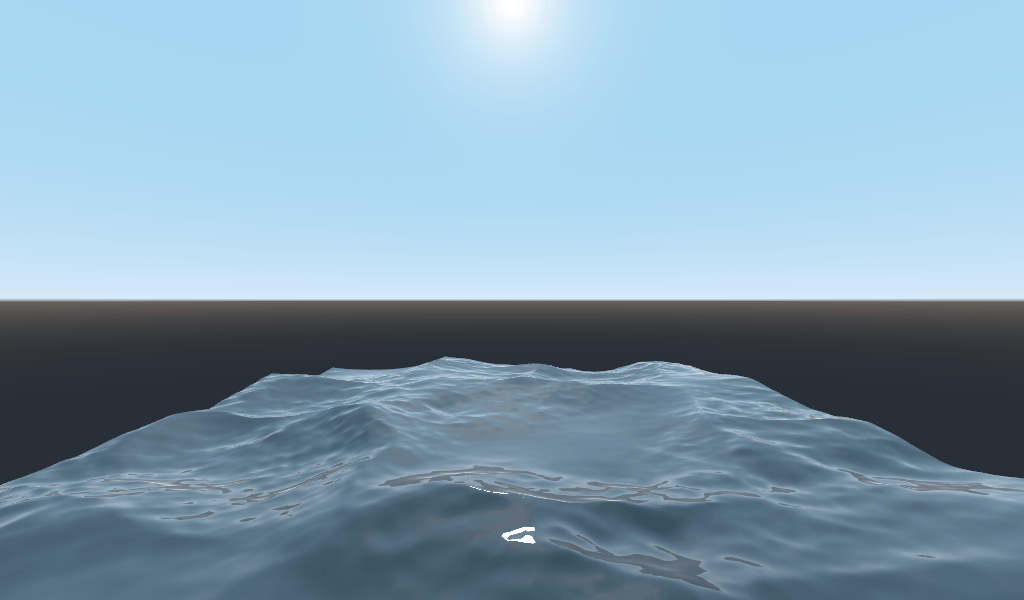
Water absorbs and scatters light, so deeper water shows less of the bed and more of its own colour. Unreal's Single Layer Water model exposes this as two inputs. Absorption Coefficients set "how easily light penetrates the volume of water", and Scattering Coefficients make the water "appear thicker, or more opaque" as they rise (Unreal Engine documentation: Single Layer Water Shading Model). Epic puts the effect plainly: "The farther an object travels into a medium with a high absorption coefficient, the more likely its color will dissipate" (Unreal Engine documentation: Single Layer Water Shading Model).
Stylised shaders often do the same thing more directly: they compare the depth of the water surface with the depth of the scene behind it and use the difference to blend between a shallow and a deep colour. Rare's Sea of Thieves ocean blends "between a deep water colour and a sub-surface water colour", driven by view angle, sun direction and a mask of wave peaks, because light travels a shorter distance through a thin wave crest (SIGGRAPH 2018 Talks: The Technical Art of Sea of Thieves).
#Refraction
Refraction is the bent, tinted view of the bed and of anything under the surface. In Unreal it is part of the water's volume function, which "reads the depth and color below the surface before distorting the samples" (Unreal Engine documentation: Single Layer Water Shading Model). Ben Cloward's tutorial on water transparency and refraction builds the same idea by hand in a material graph (YouTube: Water Transparency and Refraction - Advanced…).
#Reflection
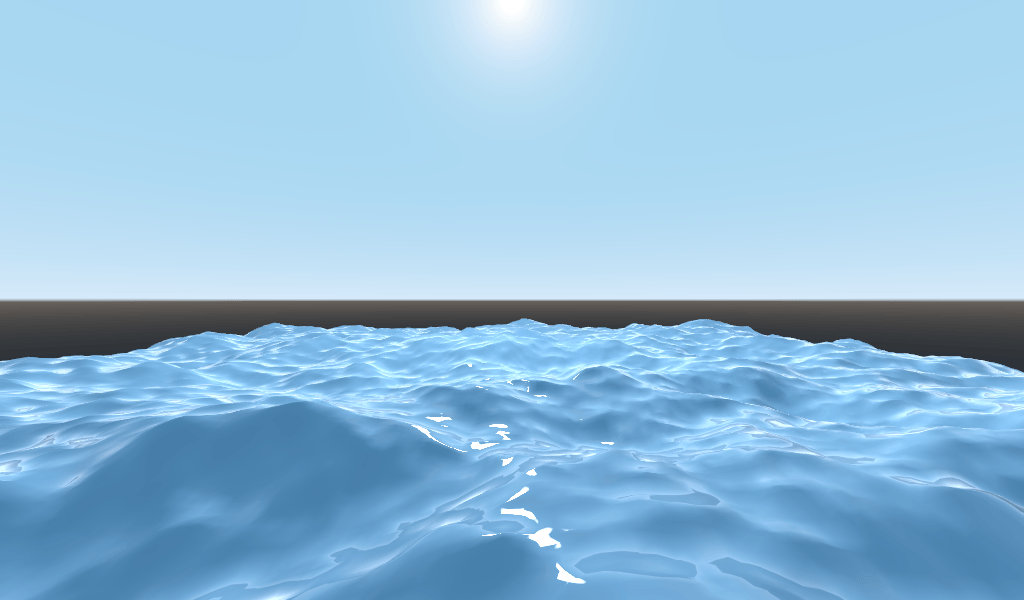
Reflections show the sky and the surroundings on the surface and are strongest when the camera looks across the water. Sea of Thieves adds a large, low sun reflection using a "closest point on sphere" approximation, and shows a Snell's window effect when the camera is underwater (SIGGRAPH 2018 Talks: The Technical Art of Sea of Thieves).
#Foam
Foam marks where water is shallow, broken or disturbed: shorelines, wave crests, rocks and hulls. Rare generates foam at wave peaks and around objects that intersect the surface, which it detects by comparing depth buffers in a window around the camera; the foam mask is blurred over several frames to simulate dispersal and is blended with artist-authored textures "for a stylised look" (SIGGRAPH 2018 Talks: The Technical Art of Sea of Thieves). Calm water in that game shows foam only around intersecting objects, while stormy water gets much more (SIGGRAPH 2018 Talks: The Technical Art of Sea of Thieves).
#Flow maps
A flow map is a texture that stores a direction per pixel, so the shader can push the water's normal and colour textures along a river's course. Valve's GDC 2011 talk describes it as "a 2D vector field, indicating to the shader how the UVs should warp" (GDC 2011: Making and Using Non-Standard Textures). Because warped UVs stretch over time, the shader resets the animation in cycles. Valve hid the visible reset by offsetting the cycle per pixel with a noise map and blending two samples taken at opposite phases, which gives "continuous color that can animate indefinitely" (GDC 2011: Making and Using Non-Standard Textures).
The same approach is still used. Jimmy Hammarsten's portfolio piece builds a "PBR Water Shader built in Unreal Engine 5 and Flowmap Created in Houdini", and the breakdown shows the Houdini network and the resulting map (ArtStation: Flowmap Water Shader – Houdini to Unreal…).
#Waves and simulation
Large bodies of water also move their geometry. Sea of Thieves uses an FFT ocean simulation based on Jerry Tessendorf's 2001 method, and uses the simulation's "choppiness vertex offsets" to find wave peaks for colour and foam (SIGGRAPH 2018 Talks: The Technical Art of Sea of Thieves). For splashes on deck, waterfalls and streams, Rare runs a separate GPU shallow-water simulation; it projects the camera's depth onto the water mesh so characters can block falling water and push foam around their feet (SIGGRAPH 2018 Talks: The Technical Art of Sea of Thieves).
Engine water systems package this kind of behaviour. Unreal's Water system lets you "create rivers, lakes, and oceans" that work with Landscape terrain, drives waves from a Water Waves asset, makes objects float with a Water Buoyancy component, and supports "surfaces that support physics interactions and fluid simulation", such as ripples from footsteps or a boat's wake (Unreal Engine documentation: Water System).
#How to set one up
These steps set up a river or lake in Unreal Engine 5 with the built-in Water plugin, and then show what to change if you build your own material instead.
- Enable the plugin. Open Edit > Plugins, search for "Water", tick it and restart the editor (Unreal Engine documentation: Water System).
- Find the example content. In the Content Browser, enable Show Engine Content and Show Plugin Content under View Options to see the Water Content folder with default materials and examples (Unreal Engine documentation: Water System).
- Place a water body on a Landscape. Add a river, lake or ocean water body to a level that has a Landscape; the Water Body Actors page lists the types (Unreal Engine documentation: Water System). Shape the river along its spline and sculpt the banks so the shoreline is shallow enough for depth colour and foam to show.
- Or build your own material. Set the material's shading model to Single Layer Water and its Blend Mode to Opaque or Masked, which this model requires (Unreal Engine documentation: Single Layer Water Shading Model).
- Tune depth colour. Raise the Absorption Coefficients for murky water that hides the bed quickly, and keep them low for a clear mountain stream; adjust Scattering Coefficients for how milky the water looks, and Color Scale Behind Water to darken or brighten the bed (Unreal Engine documentation: Single Layer Water Shading Model).
- Add flow. Generate or paint a flow map for the river (in Houdini, as Valve and Hammarsten did) with flow in two channels and, if you like, foam in a third (GDC 2011: Making and Using Non-Standard Textures; ArtStation: Flowmap Water Shader – Houdini to Unreal…). Sample your normal map twice at opposite phases and blend them so the cycle reset is invisible (GDC 2011: Making and Using Non-Standard Textures).
- Check the lowest target platform. On mobile and low-end systems Unreal uses "an alternative render path" that skips features; the simplest fallback is a plain translucent material (Unreal Engine documentation: Single Layer Water Shading Model).
#Video tutorials
#Use in recent games
- Sea of Thieves (Rare, 2018). An FFT ocean with colour blended between deep and subsurface tones at wave peaks, foam from wave peaks and depth intersections, and a GPU shallow-water simulation for splashes and waterfalls. Documented in Rare's SIGGRAPH 2018 talk (SIGGRAPH 2018 Talks: The Technical Art of Sea of Thieves).
- Portal 2 (Valve, 2011). Extended the flow-map water shader first built for Left 4 Dead 2. Documented in Valve's GDC 2011 talk on non-standard textures (GDC 2011: Making and Using Non-Standard Textures).
- Left 4 Dead 2 (Valve, 2009). The swamp water where Valve's flow-map shader was developed, with flow maps generated in Houdini and painted by artists (GDC 2011: Making and Using Non-Standard Textures).
#In different tools
| Tool | Built-in water support | Notes |
|---|---|---|
| Unreal Engine 5 | Water plugin with river, lake and ocean bodies, waves asset, buoyancy and fluid simulation (Unreal Engine documentation) | Single Layer Water shading model for physically based absorption, scattering and refraction (Unreal Engine documentation). |
| Unity (HDRP) | Water system with pages on foam, caustics, currents, deformers, excluders, underwater view and VFX Graph integration (Unity documentation) | HDRP only; see the Capabilities and Quality and performance pages in the manual . |
| Houdini | Not a runtime water system | Used to generate flow maps from level geometry for export to the engine (GDC 2011; ArtStation). |
#Related pages
shaders for artists · master materials and instances · terrain and landscapes · wind and world position offset · vertex animation textures · light probes and reflection probes · overdraw · fog and atmosphere
#Further reading and watching
References
- · Single Layer Water Shading Model · Unreal Engine documentation · docs · accessed 2026-10-22
- · The Technical Art of Sea of Thieves · SIGGRAPH 2018 Talks, 2018 · talk · accessed 2026-10-22
- · Water Transparency and Refraction - Advanced Materials - Episode 38 · YouTube · video · accessed 2026-10-22
- · Making and Using Non-Standard Textures · GDC 2011 (slides, copy hosted by HLPortal), 2011 · talk · accessed 2026-10-22
- · Flowmap Water Shader – Houdini to Unreal Engine 5 · ArtStation, 2025 · web · accessed 2026-10-22
- · Water System · Unreal Engine documentation · docs · accessed 2026-10-22
- · Water (HDRP 17.0) · Unity documentation · docs · accessed 2026-10-22
Also consulted
- · 3D Stylized Water with Refraction and Foam Shader Graph - Unity Tutorial · YouTube · video · accessed 2026-10-22
- · Your second 3D shader · Godot Engine documentation · docs · accessed 2026-10-22
Pages that link here
- Subsurface scattering Key term
- Opacity, masked and translucent materials Key term
- Shaders for artists Topic
- Mesh distance fields Key term
- Telemetry and heatmaps Key term
Last updated 2026-10-22