Global illumination
Light that bounces between surfaces before reaching the eye; why it matters for believable scenes, and the baked and real-time techniques Unreal, Unity and Godot use for it.
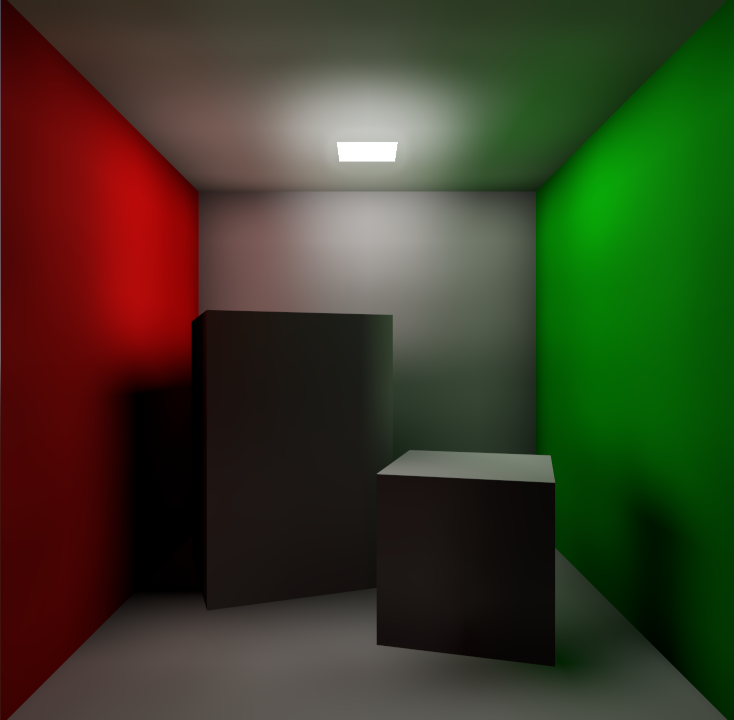
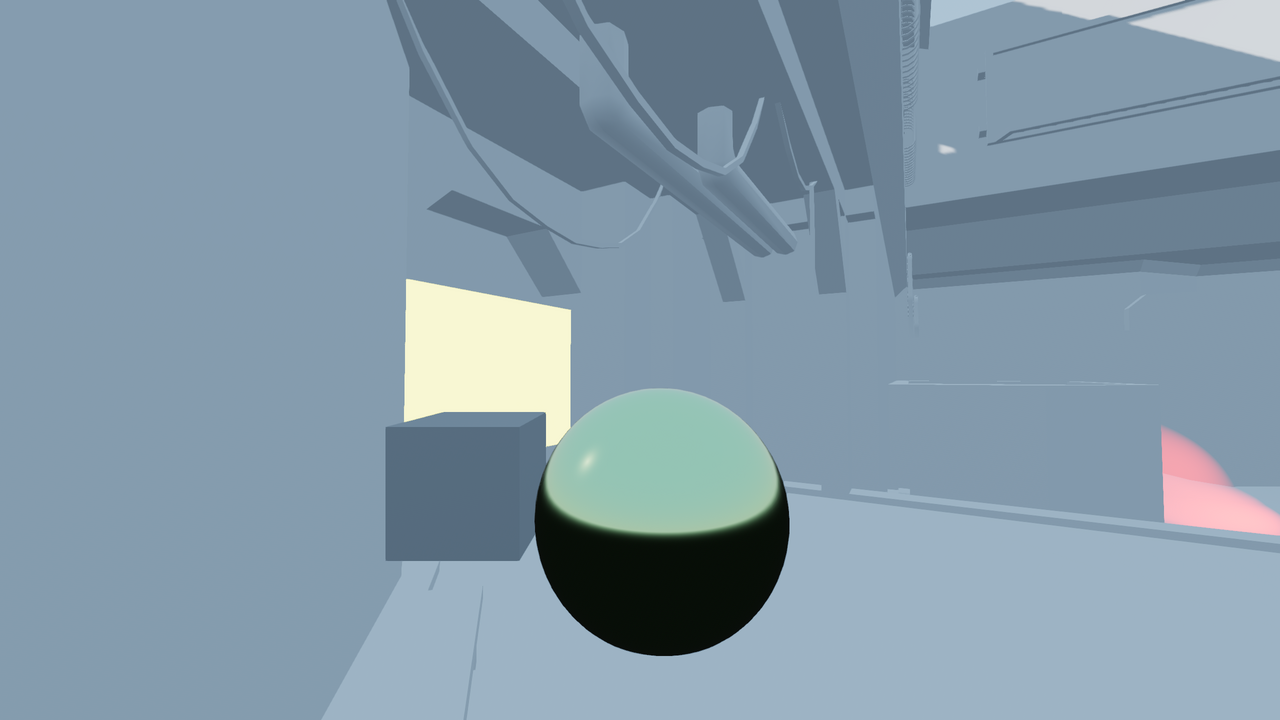
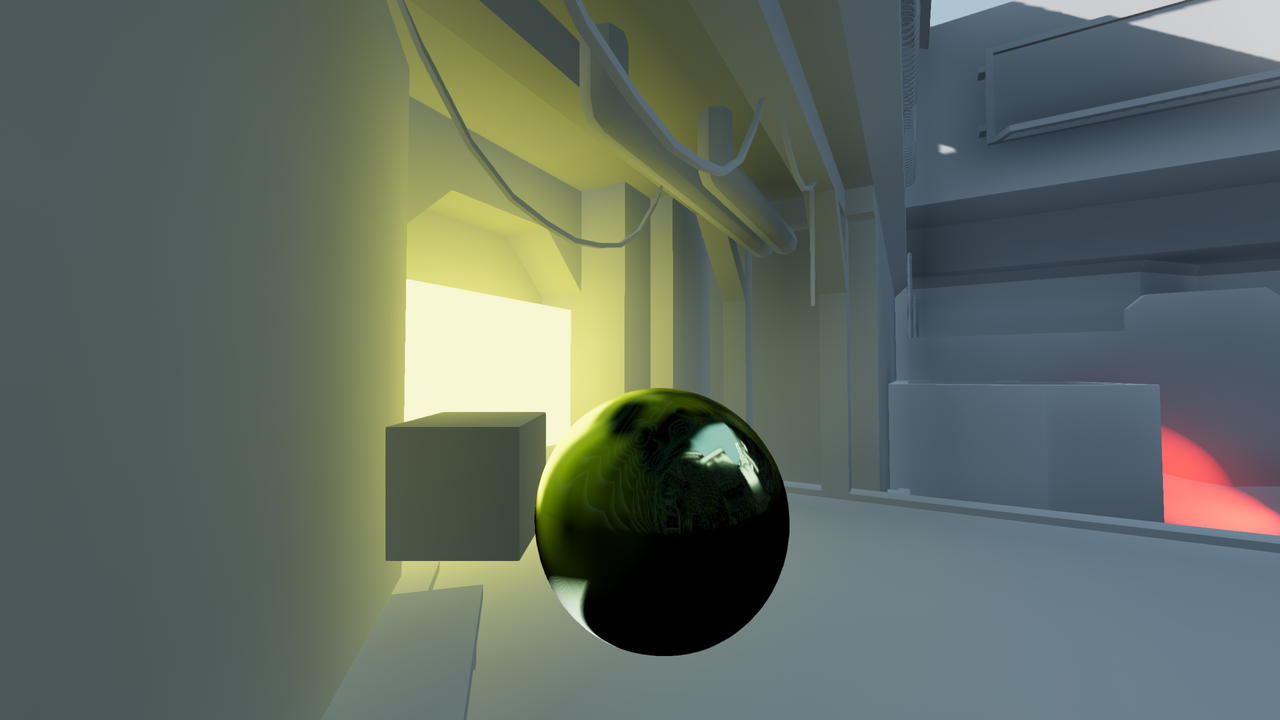
Global illumination (GI) is the light that reaches a surface after bouncing off other surfaces, added to the light that arrives directly from a source. Godot's documentation sums up the goal: "Global illumination aims to mimic how light behaves in real life" (Godot Engine documentation: Introduction to global illumination). It covers indirect diffuse light, from bounces and from emissive materials, and indirect specular light, which you see as reflections (Godot Engine documentation: Introduction to global illumination).
#Why it matters
Without GI, anything a light cannot reach directly is black, or filled with a flat ambient colour. With GI, a sunlit floor lights the ceiling above it, a red carpet tints nearby walls, and rooms get the soft gradients that make spaces read as real. Much of what artists call "good lighting" is bounce light.

#Baked and real-time GI
For decades, GI in games was calculated offline. Epic's Lumen engineers describe how it "had to be solved in an offline process called lightmap baking" (Unreal Engine tech blog: Unreal Engine 5 goes all-in on dynamic global…). Today there are both baked and real-time options; the trade-offs are covered in baked vs. dynamic lighting.
| Engine | Baked GI | Real-time GI |
|---|---|---|
| Unreal Engine 5 | Lightmaps (hidden when Lumen is on) (Unreal Engine Documentation) | Lumen, the default GI and reflections system |
| Unity 6 | Progressive GPU lightmapper; Max Bounces default 2 (Unity Manual) | Enlighten Realtime Global Illumination (Unity Manual) |
| Godot 4 | LightmapGI: "Excellent indirect lighting" (Godot Engine documentation) | VoxelGI, SDFGI and SSIL, Forward+ renderer only |
Each real-time technique has its own weakness, and Godot's documentation lists them. VoxelGI gives "Good reflections and indirect lighting, but beware of leaks". With SDFGI, "Dynamic objects can receive GI, but not contribute to it". SSIL is a "Good secondary source of indirect lighting, but no reflections" (Godot Engine documentation: Introduction to global illumination).
#Common mistakes
- Thin walls. Real-time GI leaks light through geometry it cannot resolve. Epic's rule: walls no thinner than 10 cm (Unreal Engine Documentation: Lumen Technical Details).
- Using ambient light instead of bounces. A flat ambient colour brightens everything equally, including corners that should be dark. Use it only as a fallback, which is how Godot frames it (Godot Engine documentation: Introduction to global illumination).
- Forgetting dynamic objects. With lightmaps, characters need light probes to match the scene (Godot Engine documentation: Introduction to global illumination).
- Ignoring the colour of big surfaces. A saturated floor tints the whole room through GI. Check your base colour (albedo) map values; see physically based rendering.
Related: real-time lighting, ambient occlusion, emissive materials, light and shadow.
#Further reading and watching
References
- · Introduction to global illumination · Godot Engine documentation (source on GitHub), 2026 · docs · accessed 2026-10-21
- · Unreal Engine 5 goes all-in on dynamic global illumination with Lumen · Unreal Engine tech blog, 2022 · article · accessed 2026-10-21
- · Lumen Global Illumination and Reflections · Unreal Engine Documentation, 2026 · docs · accessed 2026-10-21
- · Baked Lighting Settings (Lighting Settings Asset reference) · Unity Manual, 2026 · docs · accessed 2026-10-21
- · Lighting Settings Asset · Unity Manual, 2026 · docs · accessed 2026-10-21
- · Lumen Technical Details · Unreal Engine Documentation, 2026 · docs · accessed 2026-10-21
- · Lumen brings real-time global illumination to Fortnite Battle Royale Chapter 4 · Unreal Engine tech blog, 2022 · article · accessed 2026-10-21
- · Metro Exodus PC Enhanced Edition Out Now With Improved Ray Tracing And DLSS 2.0 · NVIDIA GeForce News, 2021 · article · accessed 2026-10-21
Pages that link here
- Real-time vs. offline rendering Topic
- Value Topic
- Light and shadow Topic
- Lightmap UVs Key term
- Ambient occlusion Key term
- Emissive materials Key term
- De-lighting Key term
- Real-time lighting Topic
- Physical light units Key term
- IES profiles and light functions Key term
- Light probes and reflection probes Key term
- Baked vs. dynamic lighting Topic
- Ray tracing Key term
- Mesh distance fields Key term
- Light leaking Key term
- Colour grading and LUTs Key term
- Fog and atmosphere Topic
- Time of day Key term
- Foliage and vegetation Topic
- Skyboxes and background vistas Topic
- Demo reels and flythroughs Guide
- Exercise: lighting one scene four ways Exercise
- A 12-month learning roadmap Guide
- Essential talks and videos Reference
Last updated 2026-10-22