Digital sculpting
Shaping very dense meshes with brushes, like clay, instead of placing vertices one by one. How sculptors get enough resolution, which brushes do the work, where sculpting fits in a game pipeline, and when to sculpt versus model.
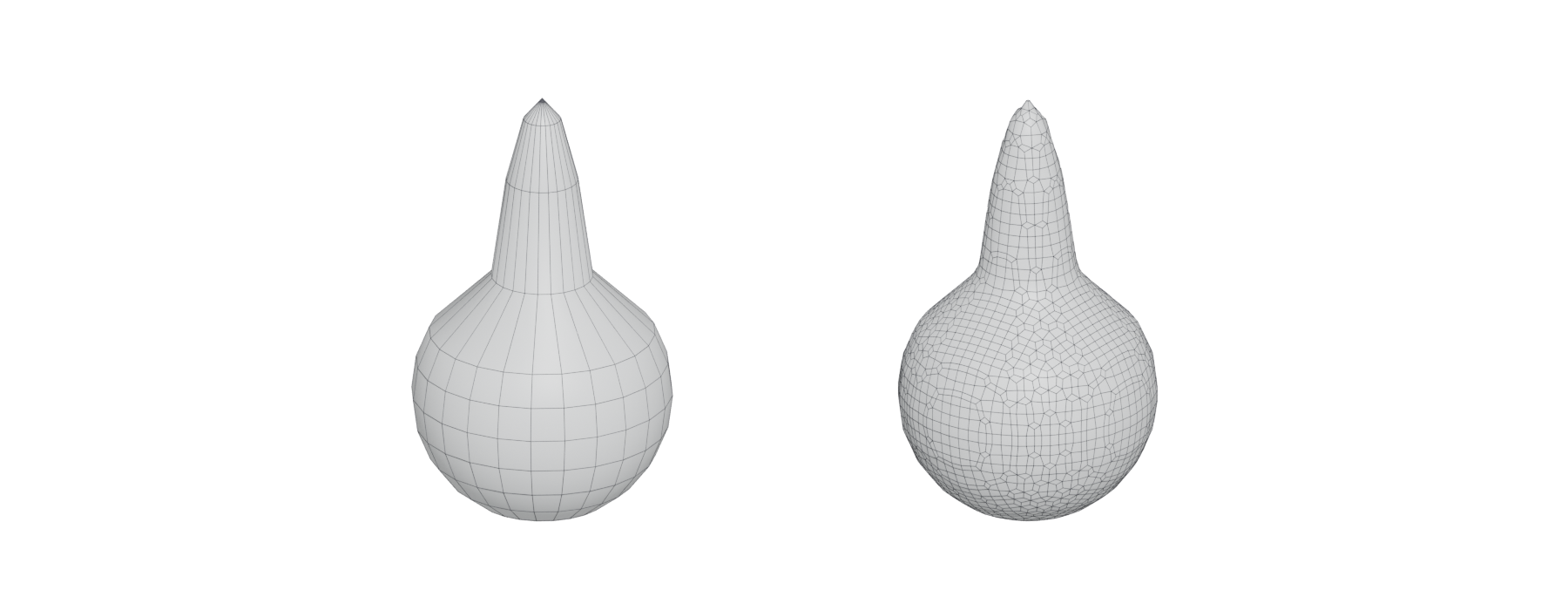
Digital sculpting means shaping a very dense mesh with brushes, the way you would push, pull, carve and smooth clay, instead of placing vertices and edges one at a time. Blender's manual describes its basic brush as "the standard brush for pushing vertices inwards and outwards from the surface direction" (Blender 3.6 Manual: Toolbar). Because the mesh is dense enough to behave like a surface rather than a cage, you think about form, not topology.
In games, sculpting is mostly a way to make high-poly source detail. The sculpt itself rarely ships. Its shape reaches the game through a lower mesh and a bake, or through a tileable texture.
#Where sculpting fits

Environment artists use sculpting in three main ways:
- Unique organic assets. Rocks, cliffs, roots, statues and terrain pieces. See sculpting rocks and cliffs and modeling rocks, trees and terrain pieces.
- Damage and wear on modeled assets: chipped stone, broken bricks, dented metal. See sculpting damage and wear.
- Tileable surfaces baked into materials: cobbles, brick, cliff faces. See tileable sculpts.
Jared Sobotta's rock work for The Last of Us Part I at Naughty Dog shows all three. He and Anthony Vaccaro modeled, sculpted and textured the Tommy's Dam rocks in Maya, ZBrush and Substance 3D Designer (80 Level: A Closer Look at Rock Assets Made for TLOU…). The high-poly sculpts became "1x1 Macro normals" for the rocks, while two further sculpts, combining hand sculpting and alphas, fed the tiling rock materials (ArtStation: Rock Breakdown).
#Getting enough resolution
A brush can only move vertices that exist. Every sculpting tool therefore has ways to add polygons where you need them. Each has trade-offs, which remeshing covers in more detail.
| Method | What it does | Good for | Watch out for |
|---|---|---|---|
| Subdivision levels (ZBrush subdivisions, Blender Multiresolution, Nomad Multiresolution) | Subdivides the whole mesh into levels you can step between (Blender Manual; Nomad Sculpt manual) | Detailing a shape that is already settled | Polygon counts rise fast: Nomad warns "it can increase very quickly!" |
| Whole-mesh remesh (DynaMesh, voxel remesh) | Rebuilds the mesh with evenly sized polygons (maxon.net) | Blocking, big shape changes, merging pieces | Remeshing again loses fine detail |
| Dynamic topology (Dyntopo, Sculptris Pro) | Subdivides under the brush during the stroke (Blender Manual) | Local detail without planning | Produces triangles, not quads (Nomad Sculpt manual) |
| Voxel vs surface modes (3DCoat) | Voxels act as "volumetric digital clay"; surface mode is a polygon mesh (3DCoat Documentation) | Voxels for blocking, surface for fine detail | Switching modes changes which tools you have |
Subdivision levels are the classic detailing method. In Nomad, when you edit a lower level, the higher-level detail is kept and projected back (Nomad Sculpt manual: Topology). Blender's Multiresolution can even "deform the unsubdivided base mesh instead of the higher levels", so large changes do not create surface noise (Blender Manual: Multiresolution Modifier). ZBrush's subdivisions reach far higher counts than DynaMesh: up to 100 million polygons per SubTool, against about eight million (ZBrush for iPad Help: DynaMesh Sculpting Essentials).
A common sequence is to remesh freely while the shape is changing, then fix the topology and add subdivision levels for the final detail.
#Common sculpting brushes
Every tool ships dozens of brushes, but a handful do most of the work on environment assets. Blender's names and descriptions are a useful neutral vocabulary (Blender 3.6 Manual: Toolbar):
| Brush | What it does (Blender Manual) | Typical environment use |
|---|---|---|
| Clay Strips | "A common standard for building rough volumes" | Blocking rock masses, building up mortar |
| Grab / Snake Hook | Moves vertices with the mouse / pulls "long, snake-like forms" | Proportions, roots, drips |
| Scrape / Flatten | Scrape is "the most common brush for flattening meshes" | Cutting flat planes into stone |
| Multi-plane Scrape | Two angled planes that produce "a sharp edge between them" | Rock edges and broken corners |
| Draw Sharp | Sharp falloff, "useful for creating creases and sharp angles" | Cracks and seams |
| Pinch / Crease | Pull towards the centre / sharpen creases | Tightening cracks and edges |
| Smooth | "Smooths out irregularities" and shrinks volumes | Erosion, soft weathering |
| Box Trim | "Perform a Boolean operation via a box gesture" | Hard breaks and cut-offs |
ZBrush equivalents appear in many breakdowns. JaviSkau, a senior environment artist at 31st Union (2K), describes a three-phase rock workflow: blockout and silhouette with DynaMesh and ClayTubes, medium planes and breakage with TrimSmoothBorder, then micro-detail and polish with Polish and hPolish (ArtStation: Rock Sculpting Workflow in ZBrush | 3-Step…). Sergii Zlobin (FRAGLAB) sculpts stone silhouettes with TrimSmoothBorder, Clay BuildUp, Planar and Trim brushes (80 Level: Creating a Stone Wall Material in ZBrush…).
Dannie Carlone, a senior staff environment artist at Santa Monica Studio, published a set of short ZBrush tips with the reminder that "everyone works differently" (ArtStation: Tricks.Tips.Process). Treat brush lists as starting points, not rules.
#Sculpt everything, or model first?
Sculpting is not the only way to make a high poly. Hard-surface assets are usually built with subdivision modeling, booleans or CAD instead (see the high-to-low workflow). Even organic environment work often mixes modeling and sculpting.
#How to make one
These steps take a 1.5 m boulder from a primitive to a game asset in Blender. ZBrush follows the same order with DynaMesh, subdivision levels, ZRemesher and Decimation Master.
- Set the scale. Add a cube or sphere and scale it to about 1.5 m, with a 1.8 m human reference next to it (see units, scale and axes).
- Remesh for even density. In Sculpt Mode, use voxel remesh so the mesh has evenly sized faces you can push around; whole-mesh remeshing "rebuilds the mesh" for blocking and big shape changes (maxon.net: Base Mesh Creation). A voxel size of 2–3 cm is enough for a boulder this size; remesh again whenever stretching appears.
- Block the primary form. Use Clay Strips ("a common standard for building rough volumes") and Grab for the mass and silhouette (Blender 3.6 Manual: Toolbar). Stop when the silhouette reads from 10 m away.
- Cut the secondary planes. Use Scrape and Multi-plane Scrape, which produces "a sharp edge between" its two planes, for breaks and edges (Blender 3.6 Manual: Toolbar). See primary, secondary and tertiary forms.
- Add resolution for detail. Add a Multiresolution modifier and subdivide, or turn on Dyntopo, which subdivides under the brush during the stroke (Blender Manual: Multiresolution Modifier; Blender Manual: Dyntopo). Add cracks with Draw Sharp and soften with Smooth (Blender 3.6 Manual: Toolbar); leave rest areas without detail.
- Make the low poly. Decimate a copy to about 1,500–2,000 triangles, or retopologise it. Khafizov used ZRemesher for automatic retopology and Decimation Master to prepare meshes for UV mapping (80 Level: How to Make Atmospheric Stylized Modular…). See retopology and decimation.
- Unwrap and bake. Unwrap the low poly, then bake normal, ambient occlusion and cavity maps from the sculpt (see UV mapping and baking).
- Texture with the bakes. Use the baked maps as masks in a texturing tool, or combine them with tiling materials as described in macro normals.
Virtualised geometry changes how much of the sculpt can stay as real geometry; see virtualised geometry.
#Video tutorials
#Use in recent games
- Indiana Jones and the Great Circle (2024). Paweł Kostecki's stone tomb wall material, "used in the Gizeh tombs", lists ZBrush with Modo, Substance 3D Painter and Marmoset Toolbag (ArtStation: Indiana Jones and the Great Circle - Stone…). It belongs to the tomb kit that other artists extended with custom pieces (ArtStation: Indiana Jones and the Great Circle - Tomb Kit).
- The Last of Us Part I (2022), Naughty Dog. Sobotta and Vaccaro sculpted the Tommy's Dam rocks; the sculpts were baked to macro normals and blended with tiling rock materials that also started as sculpts (80 Level: A Closer Look at Rock Assets Made for TLOU…; ArtStation: Rock Breakdown). The large river rocks were built from ZSpheres in ZBrush (ArtStation: River Rock Breakdown).
- God of War Ragnarök (2022), Santa Monica Studio. Jon Arellano's Asgard materials were "created for Asgard using a mixture of zbrush and Substance Designer" (ArtStation: God Of War Ragnarok Materials).
- God of War III (2010), Santa Monica Studio. An older example: Nate Stephens built a level for which he "was responsible for all modeling, sculpting, texturing, layout and lighting" (ArtStation: God of War 3 - Environment Art).
#In different tools
- ZBrush: the dedicated option, with DynaMesh, Sculptris Pro, subdivision levels and ZRemesher (ZBrush for iPad Help: DynaMesh Sculpting Essentials; maxon.net: Base Mesh Creation).
- Blender: Sculpt Mode with Multiresolution, Dyntopo and voxel remesh, free on all platforms (Blender Manual: Multiresolution Modifier; Blender Manual: Dyntopo).
- 3DCoat: voxel and surface sculpting in one program (3DCoat Documentation: Sculpt).
- Nomad Sculpt: multiresolution, voxel remesher and dynamic topology on tablets and desktop (Nomad Sculpt manual: Topology).
Prices, platforms and licences are compared in sculpting software.
#Further reading and watching
References
- · Toolbar (Sculpt Mode) · Blender 3.6 Manual · docs · accessed 2026-10-21
- · A Closer Look at Rock Assets Made for TLOU Part I · 80 Level · article · accessed 2026-10-21
- · Rock Breakdown · ArtStation, 2023 · web · accessed 2026-10-21
- · Multiresolution Modifier · Blender Manual · docs · accessed 2026-10-21
- · Topology · Nomad Sculpt manual · docs · accessed 2026-10-21
- · Base Mesh Creation · maxon.net · web · accessed 2026-10-21
- · Dyntopo · Blender Manual · docs · accessed 2026-10-21
- · Sculpt · 3DCoat Documentation · docs · accessed 2026-10-21
- · DynaMesh Sculpting Essentials · ZBrush for iPad Help · docs · accessed 2026-10-21
- · Rock Sculpting Workflow in ZBrush | 3-Step Guide & Essential Brushes · ArtStation, 2026 · web · accessed 2026-10-21
- · Creating a Stone Wall Material in ZBrush, Substance 3D Designer & Marmoset Toolbag · 80 Level · article · accessed 2026-10-21
- · Tricks.Tips.Process · ArtStation, 2020 · web · accessed 2026-10-21
- · River Rock Breakdown · ArtStation, 2023 · web · accessed 2026-10-21
- · How to Make Atmospheric Stylized Modular Ruins with ZBrush & Substance 3D · 80 Level · article · accessed 2026-10-21
- · Indiana Jones and the Great Circle - Tomb Kit · ArtStation · web · accessed 2026-10-21
- · Erosion Breakdown · ArtStation, 2023 · web · accessed 2026-10-21
- · Indiana Jones and the Great Circle - Stone Tomb Wall Material · ArtStation, 2025 · web · accessed 2026-10-21
- · God Of War Ragnarok Materials · ArtStation · web · accessed 2026-10-21
- · God of War 3 - Environment Art · ArtStation · web · accessed 2026-10-22
- · Getting Started with Sculpting - ZBrush for Beginners Tutorial · YouTube · video · accessed 2026-10-21
Pages that link here
- Welcome Overview
- The game asset pipeline Topic
- A free and open-source pipeline Guide
- Sculpting software Reference
- Ways to build a 3D model Overview
- The high-to-low workflow Topic
- Modeling rocks, trees and terrain pieces Topic
- Multiresolution and subdivision levels Key term
- Base meshes for sculpting Key term
- Alphas and stamps Key term
- Primary, secondary and tertiary forms Topic
- Sculpting rocks and cliffs Guide
- Tileable sculpts Guide
- Remeshing (DynaMesh, voxel remesh) Key term
- Making (and reading) an art breakdown Guide
- Exercise: your first game-ready prop Exercise
- A 12-month learning roadmap Guide
- Game art breakdowns: a curated library Reference
Last updated 2026-10-22