Vertex
A single point in 3D space; the corner of every face. In a game engine it also carries normals, UVs and colours, which is why engine vertex counts run higher.
A vertex (plural vertices) is "a single point or position in 3D space" and "the most elementary part of a mesh" (Blender 3.1 Manual: Mesh Structure). Every edge runs between two vertices, and every face has vertices at its corners.
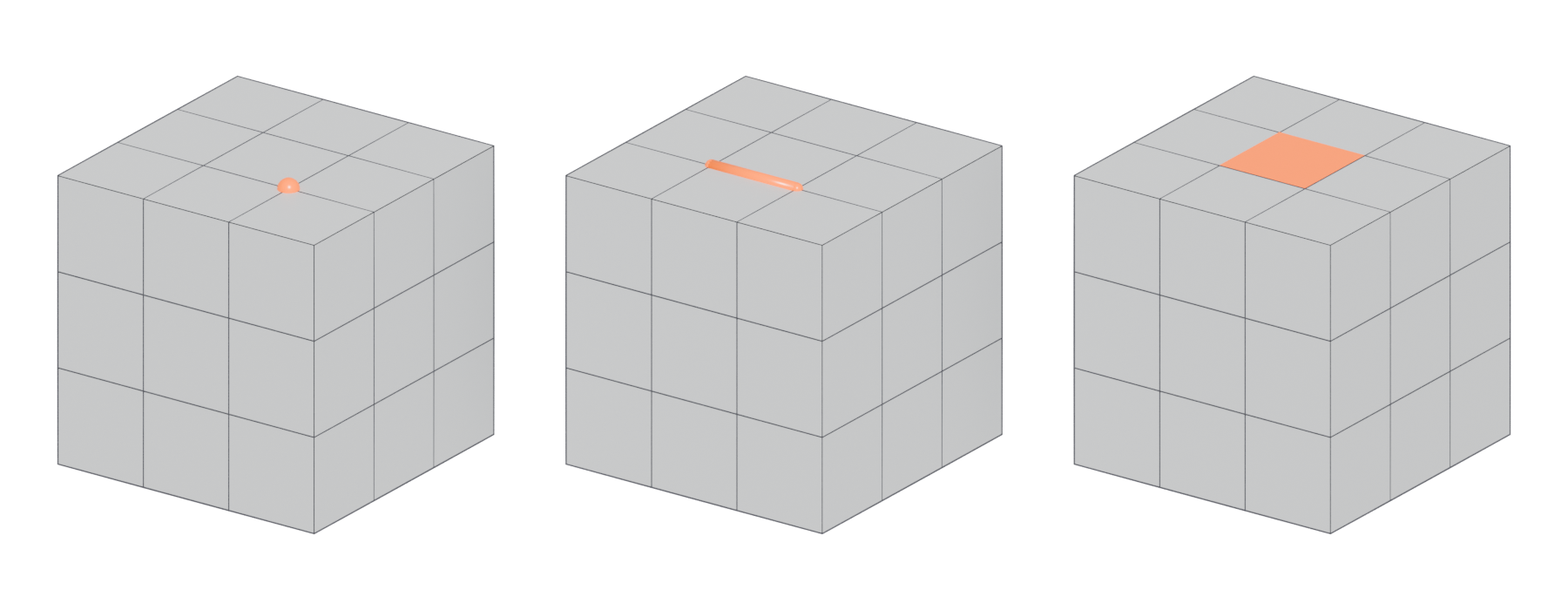
#Why vertices matter in games
In a modeling tool a vertex is a position you can grab and move. Blender draws them as "small dots" in Edit Mode (Blender 3.1 Manual: Mesh Structure). Move a vertex and every face that uses it changes shape.
In a game engine a vertex holds more data: a position plus "optional additional attributes" (Unity Manual 2022.2: Anatomy of a mesh). Those attributes include the normal, tangent, one or more UV coordinates and an optional colour (Unity Manual 2022.2: Anatomy of a mesh). The engine stores all of them for every vertex, so vertices cost memory.

#One corner, several vertices
Each engine vertex can hold only one value per attribute. In a Polycount discussion, one artist wrote: "A single vert can only have one normal and one UV coordinate" (Polycount forum: Vertex Count vs Triangle Count). So "a vertex must be split if it has multiple normals, UV coordinates or vertex colors" (Unity Manual: Modeling characters for optimal performance).
That is why the engine's count "is usually higher than the count given by the 3D application," which only counts "distinct corner points" (Unity Manual: Modeling characters for optimal performance). Hard edges, UV seams and per-face vertex colours all add copies (Polycount forum: Vertex Count vs Triangle Count). The anatomy of a polygon mesh page walks through the classic case of a cube going from 8 to 24 vertices.
#Vertices and topology
How many edges meet at a vertex matters too. A vertex with three, five or more edges is a pole, and edge loops stop there "because there is no unique way to continue a loop from a pole" (Blender 3.1 Manual: Mesh Structure). Where you put poles is a big part of topology and edge flow.
#Common mistakes
- Duplicate vertices. Two vertices sitting at the same spot look like one, but the mesh is not joined there. Meshy's glossary lists overlapping, unmerged vertices as a cause of non-manifold geometry (Meshy: Manifold). Blender's 3D Print Toolbox suggests merging by distance to clean up degenerate geometry (Blender 3.6 Manual: 3D Print Toolbox), and Unity's importer has a "Weld Vertices" option that will "combine vertices that share the same position in space" (Unity Manual 2018.2: Model tab).
- Lone vertices. A vertex with no edges does nothing visible but still counts as stray geometry. See manifold and non-manifold geometry.
- Judging cost by the modeling-tool count. Check the engine's number, which includes splits (Unity Manual: Modeling characters for optimal performance).
- Painting vertex colours per face by accident. Per-face colour values split vertices, just like hard edges (Polycount forum: Vertex Count vs Triangle Count). Use smooth gradients unless you need a hard break. See vertex painting and blending.
#In different tools
| Tool | Where to see the count | What it counts |
|---|---|---|
| Blender | Viewport Overlays > Statistics (Blender 3.5 Manual) | Corner points (before splits) |
| Maya | Display > Heads Up Display > Poly Count (Maya 2026 Help) | Corner points, plus a separate UV count |
| Unreal Engine | Static Mesh Editor viewport stats (Unreal Engine Documentation) | Vertices after import, including splits |
Maya's separate UV count is a useful hint. If the UV number is much higher than the vertex number, many vertices sit on seams and will split in the engine.
#Related terms
edge · face · normals · pole · anatomy of a polygon mesh · smoothing, hard edges and smoothing groups · UV seams and islands
#Further reading and watching
References
- · Mesh Structure · Blender 3.1 Manual, 2022 · docs · accessed 2026-10-20
- · Anatomy of a mesh · Unity Manual 2022.2, 2022 · docs · accessed 2026-10-20
- Vertex Count vs Triangle Count · Polycount forum, 2014 · forum · accessed 2026-10-20
- · Modeling characters for optimal performance · Unity Manual · docs · accessed 2026-10-20
- Manifold (3D glossary) · Meshy · web · accessed 2026-10-20
- · 3D Print Toolbox · Blender 3.6 Manual, 2023 · docs · accessed 2026-10-20
- · Model tab (FBX Importer settings) · Unity Manual 2018.2, 2018 · docs · accessed 2026-10-20
- · Viewport Overlays · Blender 3.5 Manual, 2023 · docs · accessed 2026-10-20
- · Heads Up Display (HUD) Options · Maya 2026 Help, 2025 · docs · accessed 2026-10-20
- · Static Mesh Editor UI · Unreal Engine Documentation · docs · accessed 2026-10-20
Pages that link here
- Real-time vs. offline rendering Topic
- Anatomy of a polygon mesh Topic
- Edge Key term
- Face (polygon) Key term
- Triangle Key term
- Quad Key term
- N-gon Key term
- Normals (face and vertex) Key term
- Winding order and backface culling Key term
- Vertex colours Key term
- Manifold and non-manifold geometry Key term
- Degenerate geometry Key term
- Triangulation Key term
- Level editors and blockout tools Reference
- Modding and user-generated content tools Reference
- Box modeling Topic
- Extrude, inset and loop cut Key term
- Subdivision surface modeling Topic
- Control cage and limit surface Key term
- Edge crease Key term
- Topology Topic
- Edge flow Topic
- Pole Key term
- Smoothing, hard edges and smoothing groups Topic
- Booleans Topic
- Weighted (custom) normals Topic
- Collision meshes Topic
- Polygon and triangle budgets Topic
- Impostors and billboards Key term
- Retopology Topic
- Decimation Key term
- Digital sculpting Topic
- Remeshing (DynaMesh, voxel remesh) Key term
- UV mapping Topic
- UV packing and padding Topic
- Bake cage Key term
- Parallax occlusion mapping Key term
- Geodecals Key term
- Vertex painting and blending Topic
- Shadows and virtual shadow maps Key term
- Terrain and landscapes Topic
- Foliage and vegetation Topic
- A 12-month learning roadmap Guide
Last updated 2026-10-22