Face (polygon)
The flat area enclosed by three or more vertices; the only part of a mesh that actually renders.
A face is "the area between either three (triangles), four (quadrangles) or more (n-gons) vertices" (Blender 3.1 Manual: Mesh Structure). It is the surface part of a mesh, bounded by edges with a vertex at each corner. People also call faces polygons or polys.

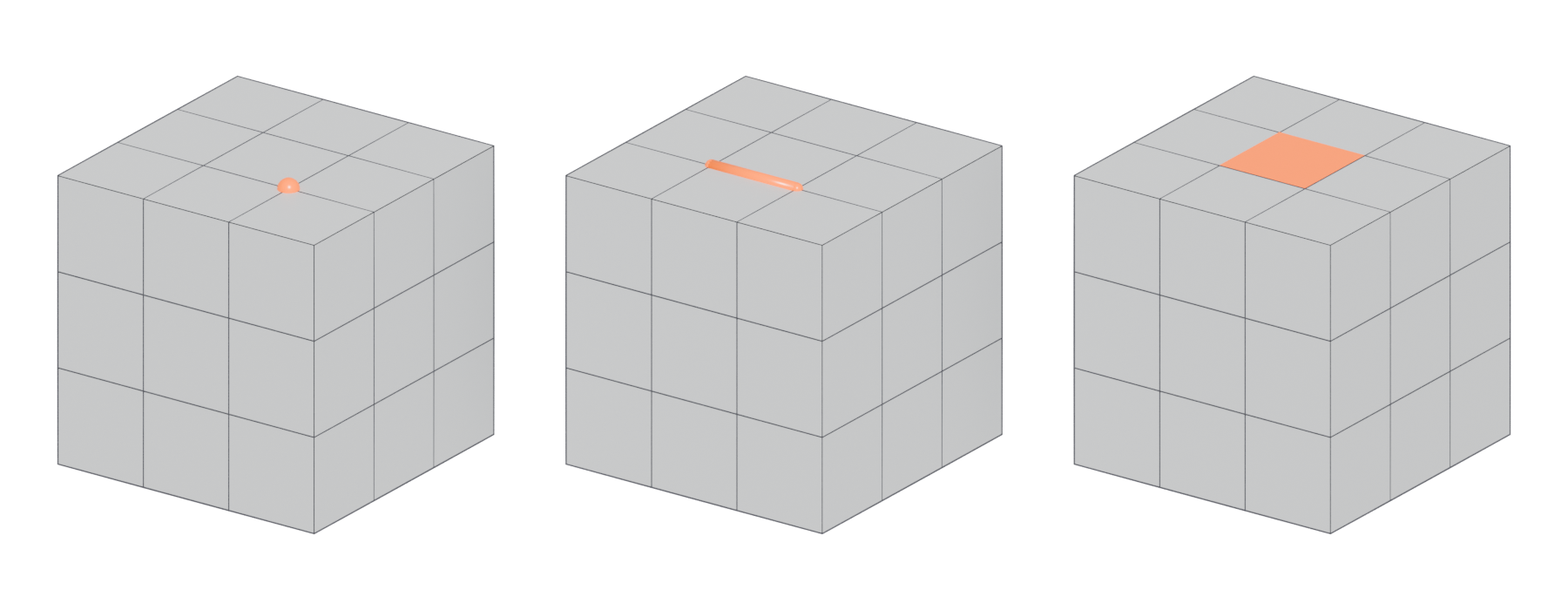
#Why faces matter in games
Faces are the only part of a mesh that renders. Vertices and edges define where the surface is; faces are the surface.
Every face becomes triangles. Graphics hardware "only deals with triangles", so engines split every face before drawing it (Unreal Engine Documentation: FBX Static Mesh Pipeline). A face with n corners always becomes n − 2 triangles: a triangle stays one, a quad becomes two, a five-sided N-gon becomes three. How that split happens is covered in triangulation.
Faces have a front and a back. The order of a face's vertices decides which side is the front (OpenGL Wiki: Face Culling). The face's normal points out of the front. Renderers can skip back faces entirely. This is called back-face culling, and it removes "non-visible triangles of closed surfaces" before the expensive rendering work (OpenGL Wiki: Face Culling). With culling on, a face pointing the wrong way looks like a hole. See normals.
Face type affects how you work. Blender's manual notes that triangles "are always flat and therefore easy to calculate", while quads "deform well" and "are therefore preferred for animation and subdivision modeling" (Blender 3.1 Manual: Mesh Structure). Which face types you should use is a long-running debate covered on the quad page.
#Common mistakes
- Flipped faces. A face whose front points inwards gets culled or lit wrongly. Blender's Face Orientation overlay shows front sides "in blue" and back sides "in red" (Blender 3.5 Manual: Viewport Overlays), so a correct closed model should look blue all over.
- Lamina faces. Two faces that share all of their edges, lying exactly on top of each other. Maya's Cleanup can find and remove them (Maya 2017 Help: Cleanup Options). They cause flickering and break manifold and non-manifold geometry.
- Zero-area faces. Faces whose corners collapse onto a line or point. Maya's Cleanup removes "faces with zero geometry area" below a tolerance (Maya 2017 Help: Cleanup Options). See manifold and non-manifold geometry.
- Counting faces instead of triangles. Budgets are in triangles. See the example above.
- Using n-gons on models you will subdivide or deform. World of Level Design warns that "N-Gons create problems with deformations" (World of Level Design: Maya Beginner Tutorial Series 12/17…). See N-gon.
#In different tools
- Blender. Face select mode in Edit Mode. The Statistics overlay shows face and triangle counts (Blender 3.5 Manual: Viewport Overlays).
- Maya. The Poly Count HUD reports Faces and Triangles as separate lines (Maya 2026 Help: Heads Up Display (HUD) Options).
- Unreal Engine. The Static Mesh Editor reports Triangles only (Unreal Engine Documentation: Static Mesh Editor UI). By then there are no quads or n-gons left.
#Related terms
vertex · edge · triangle · quad · N-gon · normals · triangulation
#Further reading and watching
References
- · Mesh Structure · Blender 3.1 Manual, 2022 · docs · accessed 2026-10-20
- · FBX Static Mesh Pipeline · Unreal Engine Documentation · docs · accessed 2026-10-20
- · Face Culling · OpenGL Wiki · docs · accessed 2026-10-20
- · Viewport Overlays · Blender 3.5 Manual, 2023 · docs · accessed 2026-10-20
- · Cleanup Options · Maya 2017 Help, 2016 · docs · accessed 2026-10-20
- · Maya Beginner Tutorial Series 12/17: Difference Between Triangles vs Quads vs NGons · World of Level Design, 2025 · article · accessed 2026-10-20
- · Heads Up Display (HUD) Options · Maya 2026 Help, 2025 · docs · accessed 2026-10-20
- · Static Mesh Editor UI · Unreal Engine Documentation · docs · accessed 2026-10-20
Pages that link here
- Anatomy of a polygon mesh Topic
- Vertex Key term
- Edge Key term
- Triangle Key term
- Quad Key term
- N-gon Key term
- Normals (face and vertex) Key term
- Winding order and backface culling Key term
- Manifold and non-manifold geometry Key term
- Degenerate geometry Key term
- Ways to build a 3D model Overview
- Extrude, inset and loop cut Key term
- Topology Topic
- Face loop Key term
- A 12-month learning roadmap Guide
Last updated 2026-10-22