Edge
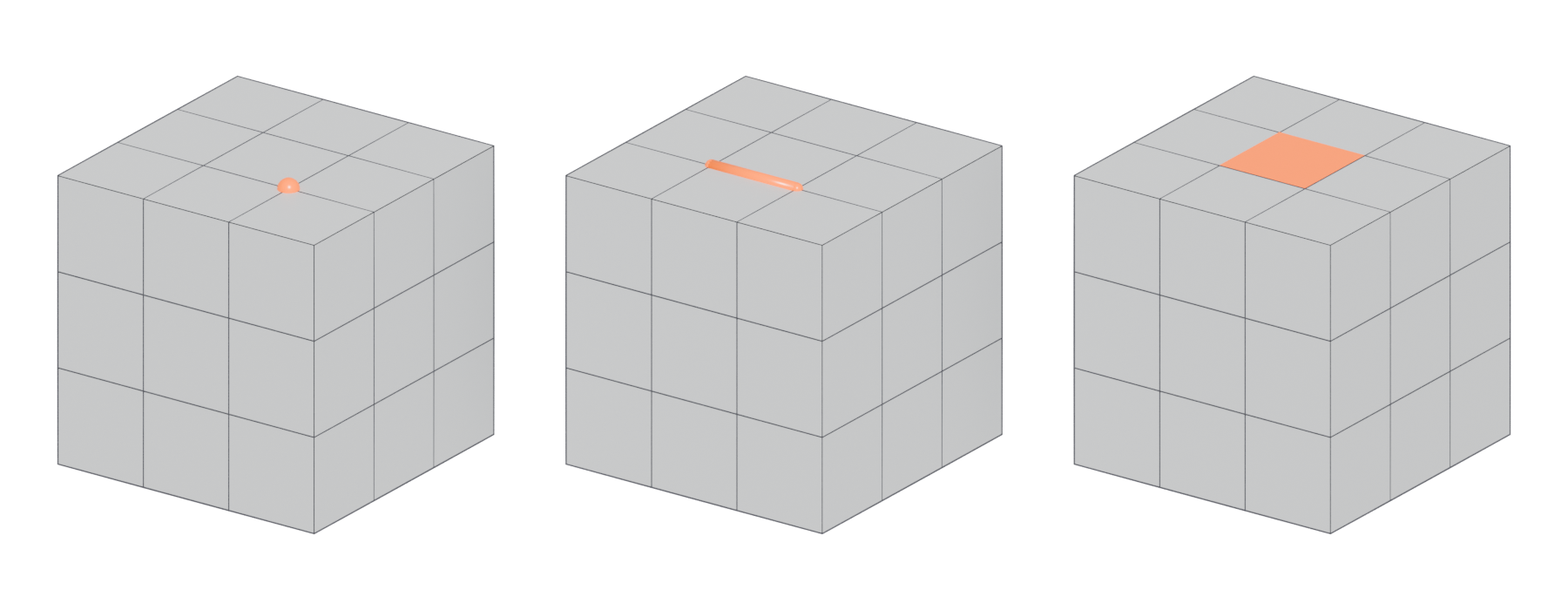
A straight line between two vertices. Edges outline faces, form loops, and decide where shading and UVs break.
An edge "always connects two vertices by a straight line" (Blender 3.1 Manual: Mesh Structure). Edges are "the 'wires' you see when you look at a mesh in wireframe view" (Blender 3.1 Manual: Mesh Structure), and every face is bounded by them.
#Why edges matter in games
Edges are cheap in themselves; GPUs draw triangles, not lines. What makes edges important is the information attached to them.
- Loops and flow. Chains of edges form edge loops and edge rings. A loop continues through vertices with four edges and stops at poles (Blender 3.1 Manual: Mesh Structure). Good edge flow lets you select, bevel and deform a model cleanly.
- Hard and soft shading. You mark edges as sharp (hard) or smooth. On a hard edge the faces either side get separate normals, which means split vertices. Unity's Smoothing Angle setting decides "whether vertices are split for hard edges" (Unity Manual 2018.2: Model tab). See smoothing, hard edges and smoothing groups.
- UV seams. Seams are also marked on edges, and they split vertices the same way. See UV seams and islands.
- Silhouette. On a low-poly model, the edges on the outline are what you see against the sky. Edges spent on the silhouette usually matter more than edges inside flat areas. See silhouette.
#Faces per edge
On a closed, solid object, each edge borders exactly two faces. Meshy's glossary defines a manifold mesh as one where "every edge is shared by exactly two faces" (Meshy: Manifold). An edge with only one face is a border or hole. An edge with three or more faces is non-manifold. Blender's 3D Print Toolbox flags both kinds (Blender 3.6 Manual: 3D Print Toolbox).

#Vertex cost of hard edges
On the Unreal forums a user tested a cube: with all edges hard it imported with 24 vertices; smoothing the faces around one corner welded that corner and gave 22 (Unreal Engine Forums: Vertex Count & Light Map Vertex Count). Every hard edge you mark has a cost in vertices, even though the triangle count stays the same.
#Common mistakes
- Hard edges that are not on UV seams. They split vertices for no extra benefit and can cause seams in baking. Put hard edges on UV borders.
- Zero-length edges. Two vertices on top of each other leave an edge with no length. Maya's Cleanup can remove "edges with a zero length" below a tolerance you set (Maya 2017 Help: Cleanup Options).
- Wire edges. Edges with no face attached are loose geometry and do not render. See manifold and non-manifold geometry.
- Wasting edges on flat areas. Extra edges on a flat surface do not change shading or silhouette, unless you need them for vertex painting or deformation.
#In different tools
- Blender. Edges are a selection mode in Edit Mode. The Statistics overlay documents vertex, face and triangle counts (Blender 3.5 Manual: Viewport Overlays). Sharp edges are marked per edge; by default Blender treats an edge as sharp if it is "either non-manifold, or having at least one of its faces defined as flat" (Blender 3.1 Manual: Mesh Structure).
- Maya. The Poly Count HUD lists edges alongside vertices, faces, triangles and UVs (Maya 2026 Help: Heads Up Display (HUD) Options).
- Unreal Engine. The Static Mesh Editor reports triangles, vertices and UV channels, not edges (Unreal Engine Documentation: Static Mesh Editor UI). Once a mesh is in the engine, edges only exist as the sides of triangles.
#Related terms
vertex · face · edge loop · edge ring · support loop · smoothing, hard edges and smoothing groups · manifold and non-manifold geometry
#Further reading and watching
References
- · Mesh Structure · Blender 3.1 Manual, 2022 · docs · accessed 2026-10-20
- · Model tab (FBX Importer settings) · Unity Manual 2018.2, 2018 · docs · accessed 2026-10-20
- Manifold (3D glossary) · Meshy · web · accessed 2026-10-20
- · 3D Print Toolbox · Blender 3.6 Manual, 2023 · docs · accessed 2026-10-20
- Vertex Count & Light Map Vertex Count · Unreal Engine Forums, 2014 · forum · accessed 2026-10-20
- · Cleanup Options · Maya 2017 Help, 2016 · docs · accessed 2026-10-20
- · Viewport Overlays · Blender 3.5 Manual, 2023 · docs · accessed 2026-10-20
- · Heads Up Display (HUD) Options · Maya 2026 Help, 2025 · docs · accessed 2026-10-20
- · Static Mesh Editor UI · Unreal Engine Documentation · docs · accessed 2026-10-20
Pages that link here
- Anatomy of a polygon mesh Topic
- Vertex Key term
- Face (polygon) Key term
- Triangle Key term
- Quad Key term
- Manifold and non-manifold geometry Key term
- Ways to build a 3D model Overview
- Extrude, inset and loop cut Key term
- Edge crease Key term
- Topology Topic
- Pole Key term
- Edge loop Key term
- Edge ring Key term
- Face loop Key term
- Decimation Key term
- Digital sculpting Topic
- UV seams and islands Key term
- A 12-month learning roadmap Guide
Last updated 2026-10-22