Checker maps
A test texture of evenly sized squares, applied to a model to reveal UV stretching, uneven texel density, flipped islands and badly placed seams before any real texturing starts.
A checker map is a test texture made of evenly sized squares, usually with numbers or letters in them. You apply it to a model before texturing to see how the UVs actually lay pixels onto the surface. Blender ships one as its "built-in test image", which you create in the Image Editor with New and the Generated Type UV Grid (Blender Manual: Using UV Maps).
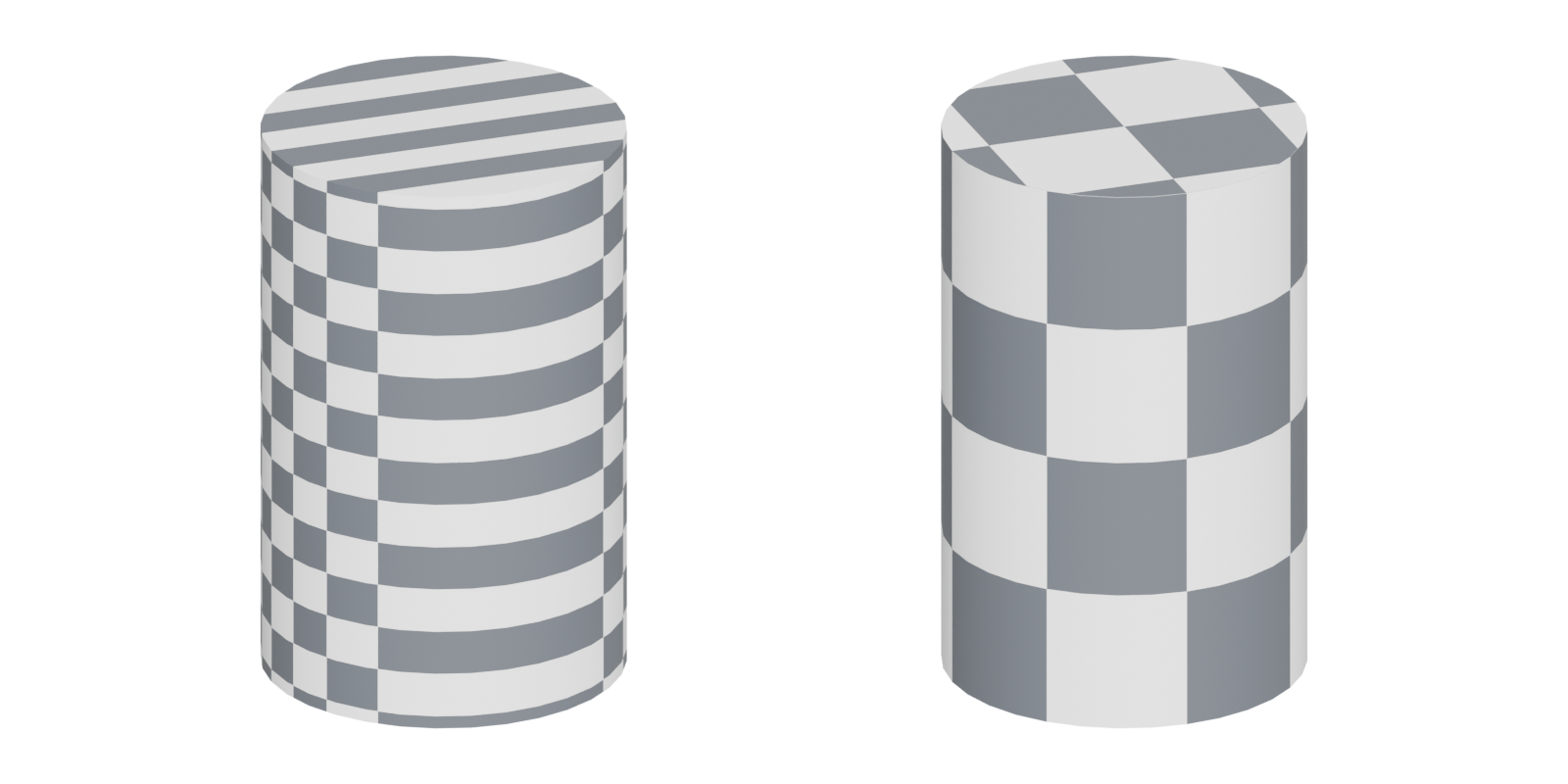
A checker makes UV problems visible. If the squares stay square and the same size everywhere, the unwrap is even. If they stretch, shrink, skew or flip, something needs fixing.
#What a checker reveals
| What you see | What it means | Fix |
|---|---|---|
| Squares stretched into rectangles | The UVs are distorted in one direction | Add a seam or relax the island; see UV seams and islands |
| Squares bigger on one object than its neighbour | Uneven texel density | Rescale islands to a shared target density |
| A hard break in the pattern | A seam | Move the seam somewhere less visible, or accept it |
| Mirrored numbers or letters | A flipped island | Flip the island back, unless mirroring is deliberate |
| Wobbling, curved lines on flat areas | Poor relaxation or a bad projection | Straighten the island, or use a planar projection |
The plain two-colour checker is good for stretching. A grid with numbers or letters, like Blender's UV Grid (Blender Manual: Using UV Maps), also shows orientation and flipping, because a mirrored "7" is easy to spot.
#Checking texel density
A checker also shows density, but only when you compare objects side by side. Two objects with identical UVs and textures but different sizes will show different-sized squares, which is the same mismatch a player would see as one blurry object next to a sharp one.
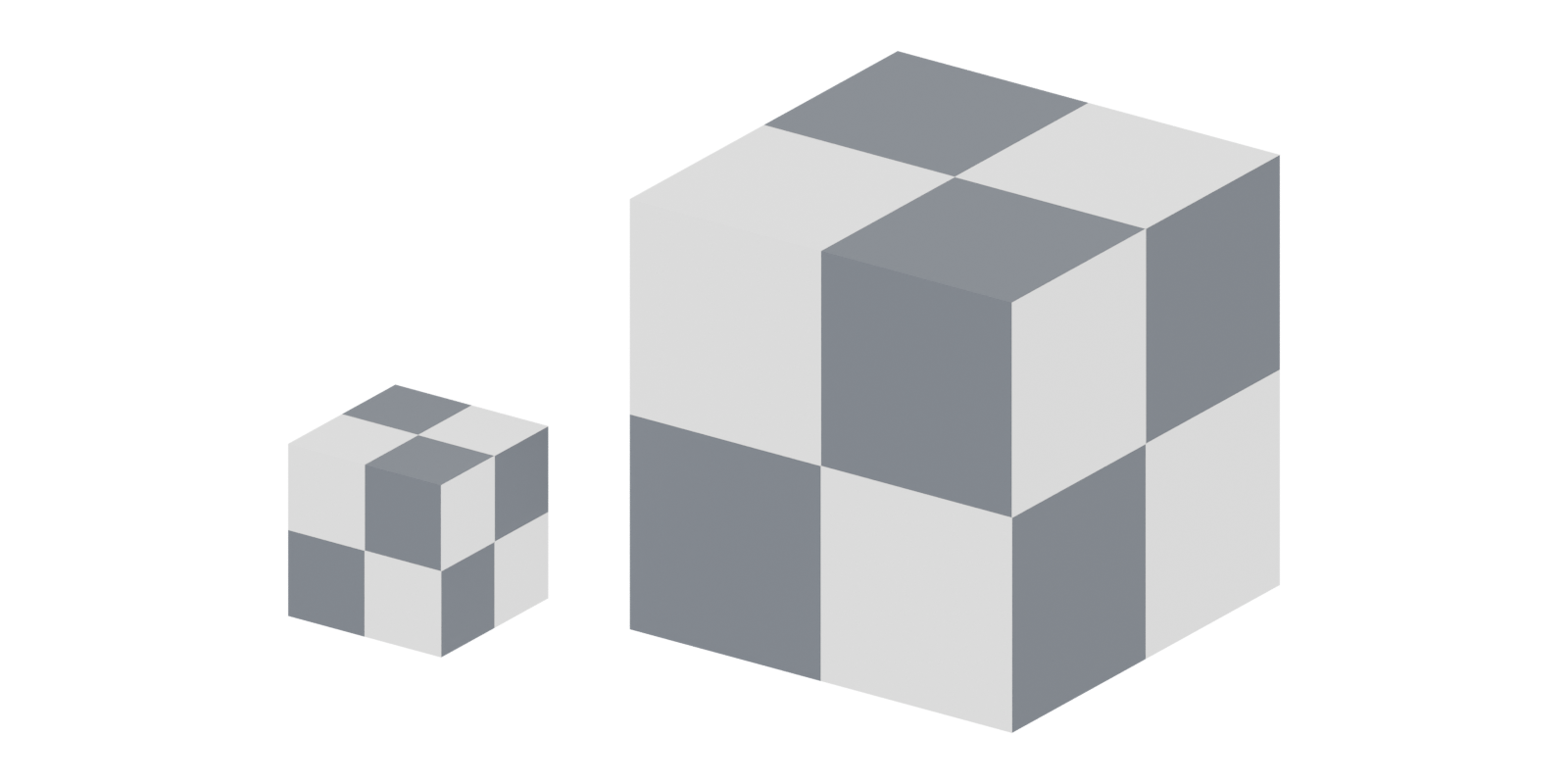
Judging density by eye is imprecise. The free Texel Density Checker add-on for Blender calculates density for any texture size, rescales UVs to a target, copies density between objects and displays a checker for you (GitHub: Blender Addon: Texel Density Checker). The workflow is: pick a target, apply it to every asset in the set, then look at the whole set with the checker on.
#In the engine
A checker in your modeling program shows the UVs; it does not show how big the texture looks from the player's camera. Beyond Extent's test is to view the asset at normal play distance in the engine and look for "obvious pixelation" (Beyond Extent: Texel Density).
Unreal's texture streaming view modes help here. They colour objects by whether the right mip is loaded: red for "2X+ mips missing", white for "Good data" and green for "2X+ extra mips" (Unreal Engine documentation: Building Texture Streaming Data in Unreal…). This is not a checker, but it shows at runtime whether a surface gets too few or too many pixels. See mipmaps and texture streaming.
#Common mistakes
- Using a checker with too few squares. Large squares hide small distortion. Use a pattern dense enough that each island shows several squares.
- Checking objects one at a time. Density problems only show when you compare neighbours.
- Leaving the checker on export. It is a test material, not a placeholder texture for teammates.
- Fixing every tiny stretch. Slight distortion on hidden faces costs nothing; spend the time on surfaces the player looks at.
#In different tools
- Blender: Image Editor, New, Generated Type UV Grid (Blender Manual: Using UV Maps); Texel Density Checker for measured density (GitHub: Blender Addon: Texel Density Checker).
- Unreal Engine: streaming accuracy view modes as an in-engine check (Unreal Engine documentation: Building Texture Streaming Data in Unreal…).
- Every DCC and engine can show a checker by applying any grid image as a material; many artists keep their own grid texture in the project for this.
#Related terms
UV mapping · UV seams and islands · texel density · UV packing and padding · mipmaps
#Further reading and watching
References
- · Using UV Maps · Blender Manual (source on projects.blender.org), 2026 · docs · accessed 2026-10-21
- · Blender Addon: Texel Density Checker · GitHub · tool · accessed 2026-10-21
- · Texel Density (deep dive) · Beyond Extent, 2022 · article · accessed 2026-10-21
- · Building Texture Streaming Data in Unreal Engine · Unreal Engine documentation · docs · accessed 2026-10-21
Pages that link here
- A free and open-source pipeline Guide
- AI-assisted 3D generation Topic
- Grids and metrics Topic
- UV seams and islands Key term
- Exercise: your first game-ready prop Exercise
- A 12-month learning roadmap Guide
Last updated 2026-10-22